
Dependencies
As Cisco Webex VDI handles multimedia redirection but is not a standalone application, it cannot be used on its own. At least one of the following apps must be installed and configured as well:
-
Citrix Workspace app
-
Omnissa Horizon Client
If your users want to make audio and video calls with Cisco Webex, the following app must be installed:
-
Cisco Webex Meetings VDI
How to Disable or Enable the Plugin
-
In the profile configurator, go to Apps > Cisco Webex > Plugins.
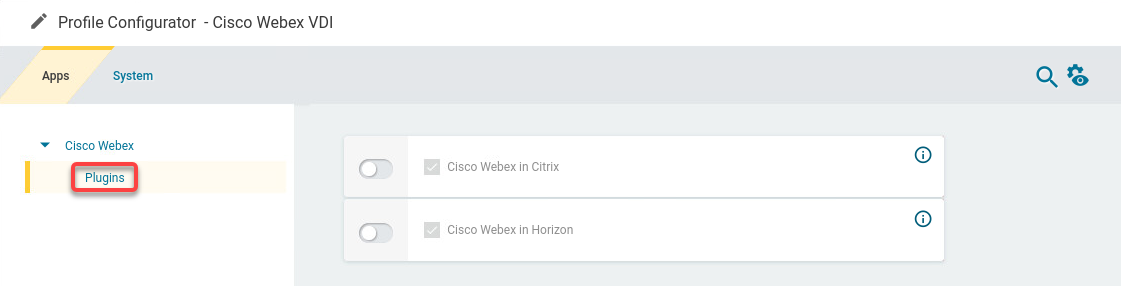
-
Change the settings as required.
A dongle must be used if delivered with a device (e.g. with a headset, etc.).
Cisco Webex in Citrix
- The Cisco Webex VDI plugin is enabled in Citrix sessions. (Default)
- The Cisco Webex VDI plugin is disabled in Citrix sessions.
Cisco Webex in Horizon
- The Cisco Webex VDI plugin is enabled in Horizon sessions. (Default)
- The Cisco Webex VDI plugin is disabled in Horizon sessions.