
This article describes the settings required for connecting the IGEL OS device to an SCEP server. For more details, see How to Enroll and Renew Certificates with SCEP (NDES) on IGEL OS 12 Device .
Menu path: Network > SCEP Client (NDES) > SCEP Server
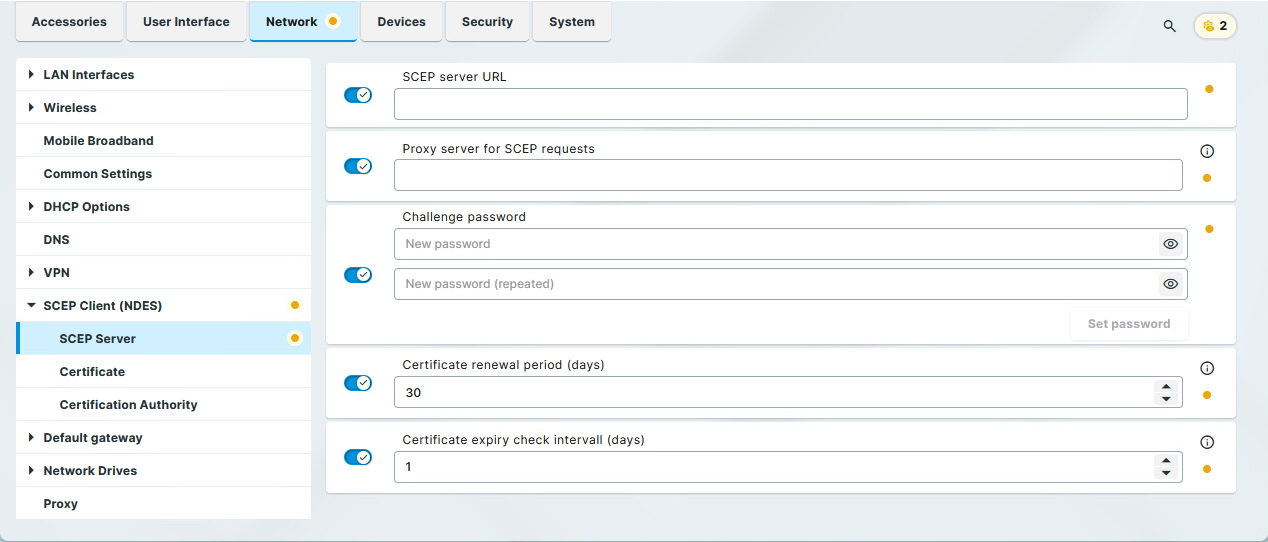
SCEP server URL
Address by which the SCEP client communicates with the SCEP server.
Examples:
-
http://myserver.mydomain.com/certsrv/mscep/mscep.dll(Windows Server 2019) -
http://myserver.mydomain.com/certsrv/mscep(before Windows Server 2019)
HTTPS is not supported; however, all security-critical data that are transferred between the SCEP client and other components are encrypted.
Proxy server for SCEP requests
If a proxy must be used, provide its address in the format host:port; otherwise, leave the field blank.
Challenge password
The password that the SCEP client must present to the SCEP server in its requests (CSR).
Microsoft NDES Server Settings
By default, the password on a Microsoft NDES server is valid for 1 hour and can be used only once. In order to use the password on numerous devices, additional settings must be made on the NDES server. For information, see the section "Password and Password Cache" on https://social.technet.microsoft.com.
On a Microsoft NDES server, you can retrieve the password under https://<HOSTNAME>/certsrv/mscep_admin
Certificate renewal period (days)
Time interval before certificate expiry during which renewal attempts are performed. (Default: 30)
Certificate expiry check interval (days)
Specifies how often the certificate is checked against its expiry date. (Default: 1)
As an example, a certificate is valid until 31.12. of a year. If the period for renewal is set to 10 days, a new certificate will be requested for the first time on 21.12. of the same year.