
When the signed certificate of your ICG installation is about to expire, you must renew it, that is, replace it by a newer certificate which is compatible to the current one. You can renew a certificate using the update keystore function of the UMS or locally on the machine hosting the ICG. Using the update keystore function of the UMS is recommended; this method is described in this article.
The new certificate is compatible if the following conditions are met:
-
The new certificate is issued from the same root certificate as the current certificate
-
The new certificate contains the same IP addresses or host names as the current certificate
-
The new certificate is a signed certificate
Creating a New Certificate
If you do not already have a new certificate:
-
In the UMS Console, go to UMS Administration > Global Configuration > Certificate Management > Cloud Gateway.
-
Open the context menu on the appropriate root certificate and select Create signed certificate.
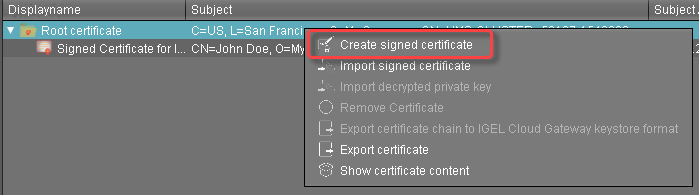
-
Fill in the certificate fields (most likely, the data will be the same as for the current certificate):
-
Displayname: Name of the certificate
The display name in the server certificate must not be the same as in the root certificate.
-
Your first and last name: Name of the certificate holder
-
Your organization: Organization or company name
-
Your city or locality: Location
-
Your two-letter country code: ISO 3166 country code, e.g.
US,UKorES -
Hostname and/or IP address of certificate target server: Same Host name(s) or IP address(es) as in the current certificate.
-
Valid until: Local date on which the certificate expires. (Default: one year from now)
-
-
Click OK.
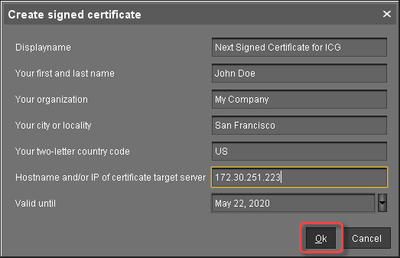
The new certificate is shown.
Updating the Keystore
-
In the UMS console, go to UMS Administration > UMS Network > IGEL Cloud Gateway.
-
Select the ICG for which you want to renew the certificate and click

The Update Keystore wizard opens; it shows the certificates which can be used for renewal. -
Select the new certificate and click Next.
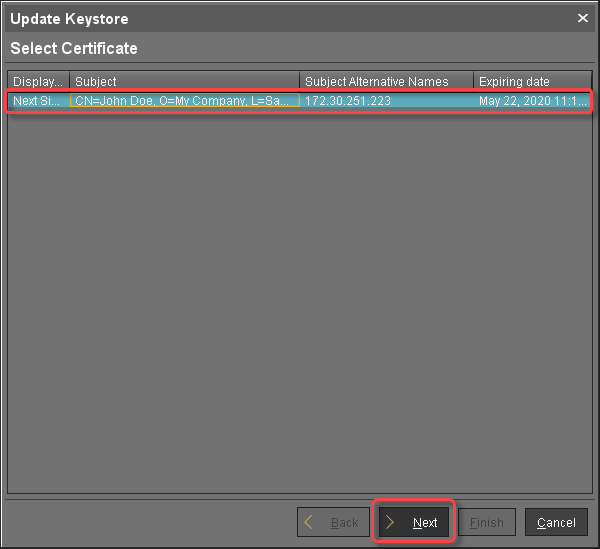
-
Enter the SSH parameters:
-
SSH host: IP address or hostname under which the UMS can reach the ICG
-
SSH port: SSH port (Default:
22) -
SSH user: The same user that has been used for the remote installer
-
SSH password: Password for the user-specified as SSH user
-
-
Click Next.
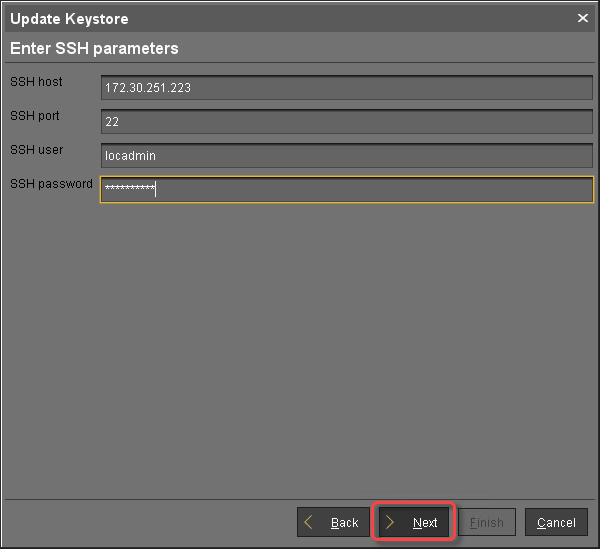
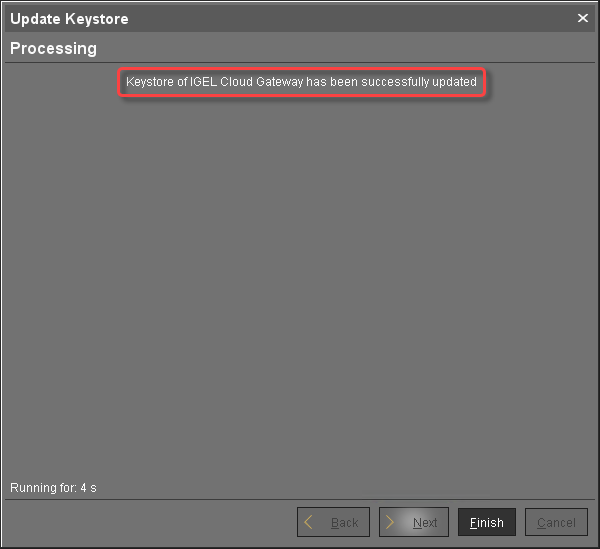
The Keystore of the ICG is updated with the new certificate.
-
When the update is finished, click Finish.
-
Go to UMS Administration > Global Configuration > Certificate Management > Cloud Gateway and check if the Used flag is set for the new certificate.
