
In IGEL OS können Sie den AppliDis-Client verwenden. AppliDis Fusion ist eine Virtualisierungslösung, die die Virtualisierung von Desktops und Anwendungen in einer einzigen Konsole vereint. Weitere Informationen finden Sie unter https://www.systancia.com/en/systancia-workplace/.
Menüpfad: Sitzungen > AppliDis
Um eine AppliDis-Sitzung zu erstellen, gehen Sie wie folgt vor:
-
In the IGEL Setup, go to Sessions > AppliDis and click

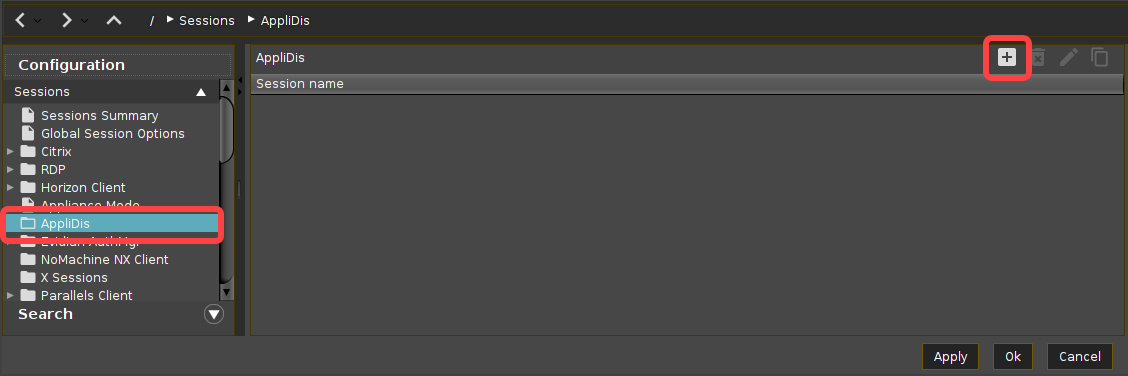
For the added session, you can perform the following actions:
-
Click on

-
Click on

-
Click on

-
-
In the following area or under Desktop Integration, configure the session name and starting methods for this session.
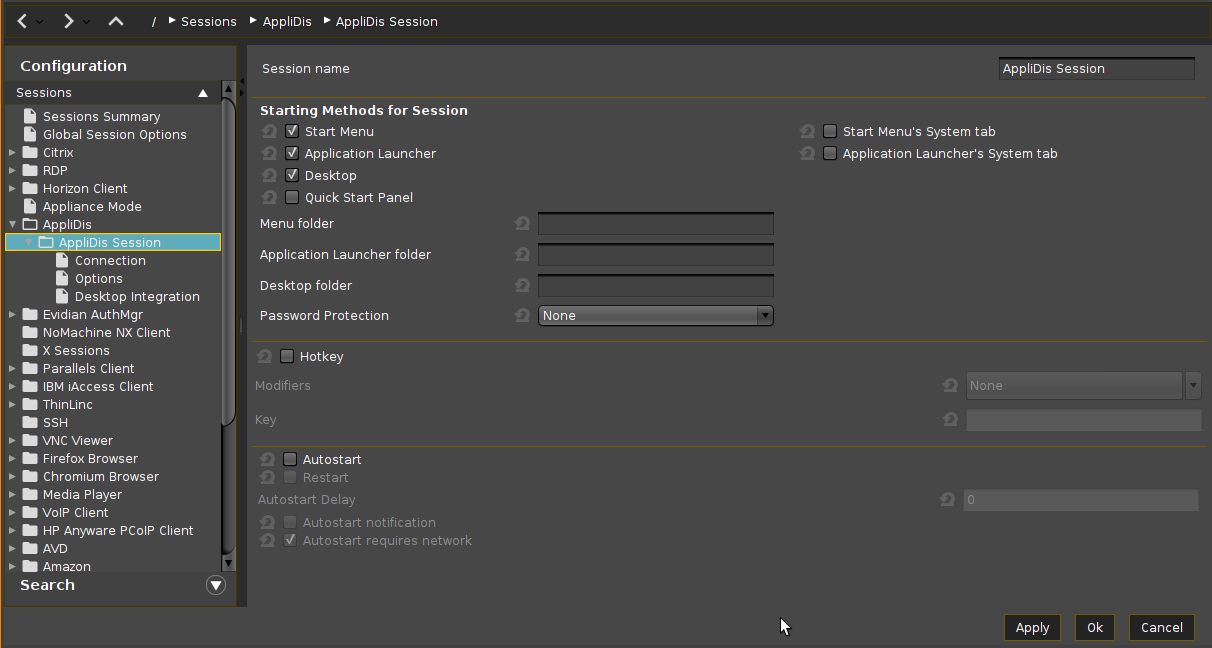
-
Konfigurieren Sie weitere Einstellungen nach Ihren Bedürfnissen.
-
Klicken Sie auf Anwenden oder Ok, um die Einstellungen zu speichern.