
Die Ausführung einer Sitzung im Vollbildmodus hat den Vorteil, dass die gesamte Fläche des Monitors für die Sitzung zur Verfügung steht. Es kann jedoch vorkommen, dass Sie ein Hotplug-Laufwerk auswerfen oder die aktuelle Sitzung minimieren oder beenden möchten. Die von IGEL Linux angebotene Lösung heißt in-session control bar.
Aktivieren der In-Session-Kontrollleiste:
-
Open the Setup and go to User Interface > Desktop > In-Session Control Bar.
-
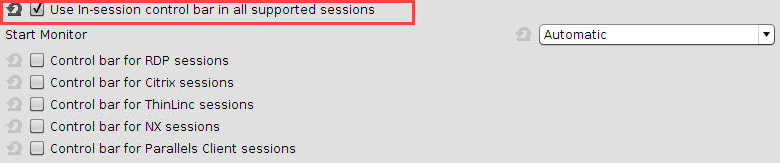
Activate Use in-session control bar in all supported sessions if you want to have an in-session control bar in all session types for which it is supported. If you want to have an in-session control bar only in sessions of certain types, activate the appropriate options, e.g. Control bar for RDP sessions.
-
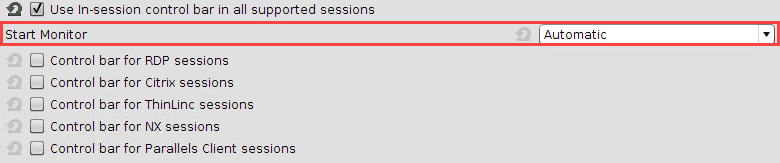
In the Start Monitor choice, select the display on which you want the in-session control bar to appear. If unsure, leave it at Automatic.
-
Klicken Sie auf Anwenden oder Ok.
Verwendung der In-Session-Kontrollleiste:
-
Move the mouse to the upper edge of the desktop.
The in-session control bar appears.
-
To perform the desired action, click the appropriate icon:
-
To eject a USB device, click

-
To minimize the session view, click

-
To end the session, click

-
To make the in-session control bar visible permanently, click

-