
Distributed UMS vs. UMS High Availability (HA)
If you want to install the UMS with multiple servers, IGEL recommends to use the Distributed UMS feature:
-
for new installations
-
for existing single-instance installations. For more details, see IGEL UMS Installation.
If you have an existing fully functional HA installation, you can leave everything as it is. Note, however, that no new features will be added for the UMS HA.
If you want to migrate, see How to Migrate a UMS High Availability Installation to a Distributed UMS.
Symptom
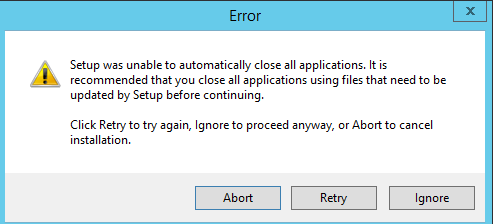
When updating the High Availability (HA) installation, an error message appears saying that not all applications could be closed before the update. A retry does not solve the problem.
Environment
-
UMS HA installation
Problem
The load balancer does not stop and stays in the "Stopping" mode:

Solution
→ Stop the load balancer manually and proceed with the update. For information regarding stopping the HA services, see IGEL UMS HA Services and Processes.