
The function that explicitly clears the Imprivata data partition has been removed. However, you can simply emulate this feature by disabling and re-enabling the Imprivata appliance mode.
If you already have a valid appliance running and want to delete the Imprivata data partition, take the following steps:
-
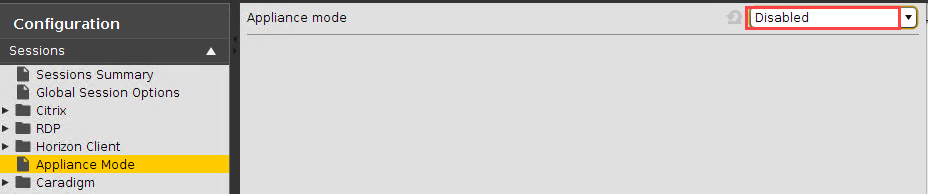
In the IGEL Setup, go to Sessions > Appliance Mode.
-
Set Appliance mode to "Disabled".
-
Click Ok to save the setting.
-
Click Yes to confirm the Apply Settings dialog.
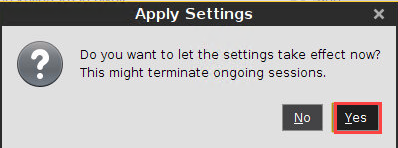
Normal desktop mode is active. The Imprivata data partition is void now. -
In the IGEL Setup, go to Sessions > Appliance Mode.
-
Set Appliance Mode to "Imprivata".
-
In the Set the URL to the Server field, enter the new server address.

-
Click Ok and confirm the Apply Settings dialog.
Now you have a fresh Imprivata appliance mode without any outdated data.