Symptom
The device does not connect to a wireless network with hidden SSID.
Problem
An option in the device's network configuration is missing.
Solution
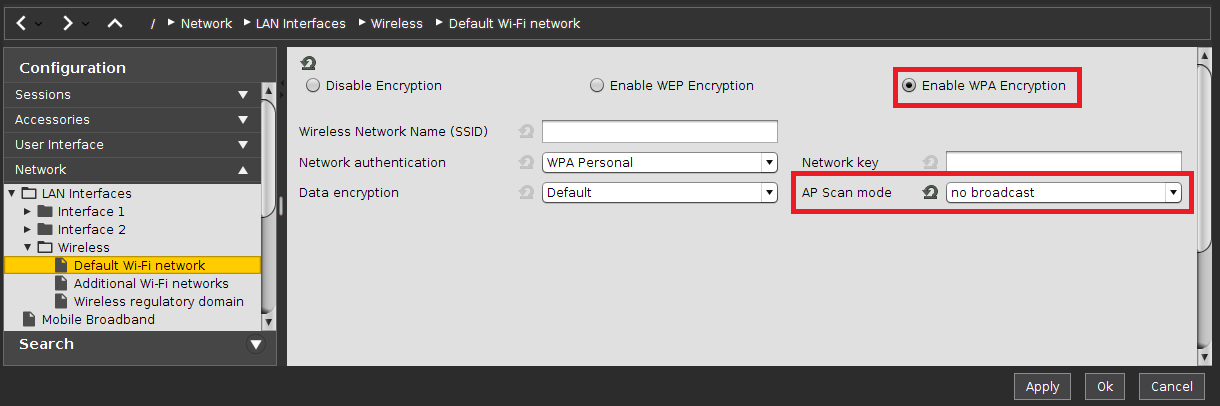
If you need to configure a hidden access point, proceed as follows:
-
Start IGEL Setup or open the device configuration dialog in the UMS.
-
Go to Network > LAN Interfaces > Wireless > Default Wi-Fi network (or Additional Wi-Fi networks depending on your configuration).
-
Choose Enable WPA Encryption.
-
Set parameter AP Scan mode to "no broadcast".
-
Click Apply or Ok to save the settings.