
Prerequisites
-
IGEL OS version 10 or higher
-
Printer with the integrated PCL/PS controller.
Recommendation
Assign a fixed IP address to the IGEL device or reserve one for it via DHCP.
Instructions
To use the IGEL device as a print server for locally connected printers, follow the steps below:
-
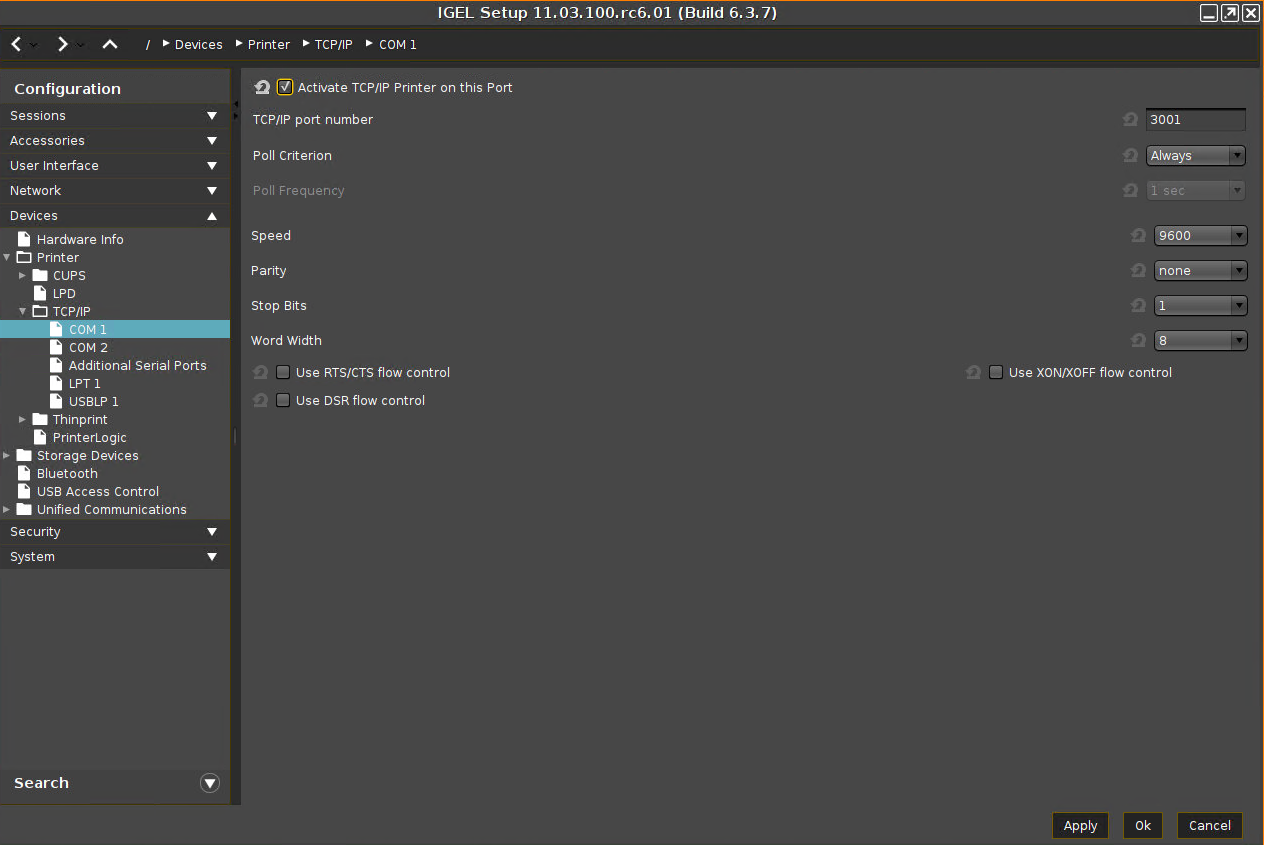
In the IGEL Setup, go to Devices > Printer > TCP/IP.
-
Select the port to which the printer is connected.COM 1COM 2Additional Serial PortsLPT 1USBLP 1
-
Enable Activate TCP/IP Printer on this Port.
Enter the TCP/IP port number on which the print server service is listening. (Windows default: 9100)
Poll Criterion and Poll Frequency must only be adjusted if required by the environment. -
Click Apply or Ok to save the settings.
The printer can be installed and used by other systems like a regular network printer.