
You can simplify the menu of an IBM iAccess client session by removing items from the menu tree. You also can restore the original menu.
Removing Menu Items
-
In the IGEL Setup, go to System > Registry > sessions > iaccess[NUMBER] > options > deletemenus (Registry key:
sessions.iaccess[NUMBER].options.deletemenus). [NUMBER] is the instance number of the session you want to configure; 0, for instance, stands for the first session, 1 for the the second session, etc. -
In the List of visible menu entries, using the mouse, mark the line with the entry you want to delete:
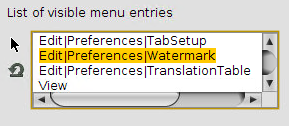
-
Press the backspace [←] or delete [Del] key.
The menu item is deleted:
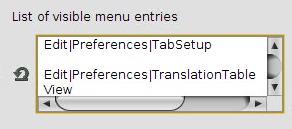
If you delete a menu item that has subitems, the subitems will be invisible, too.
-
To remove further menu items, repeat steps 2 and 3.
-
Click Apply or Ok.
-
Start or restart the IBM iAccess client to check your changes.
Restoring the Original Menu
-
In the IGEL Setup, go to System > Registry > sessions > iaccess[NUMBER] > options > deletemenus (Registry key:
sessions.iaccess[NUMBER].options.deletemenus). [NUMBER] is the instance number of the session whose menu you want to restore; 0, for instance, stands for the first session, 1 for the the second session, etc. -
In the List of visible menu entries, click the following symbol:
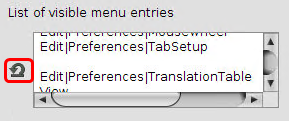
The original menu is restored. -
Click Apply or Ok.