
With AMD Memory Guard, IGEL enhances the security capabilities of the Hardware > UD3 > M350C > Manual of UD3 M350C > IGEL UD3 M350C: Technical Specification and Hardware > UD7 > H860C > Manual of UD7 H860C > IGEL UD7 H860C: Technical Specification.
AMD Memory Guard enables real-time memory encryption, which helps to protect against physical attacks and to secure data stored in RAM. The encryption is done on the basis of the randomly generated AES 128-bit encryption key and performed as such by the AMD Secure Processor integrated in the IGEL device.
For more information about AMD Memory Guard, see https://www.amd.com/system/files/documents/amd-memory-guard-white-paper.pdf.
Activation / Deactivation
-
AMD Memory Guard is available and activated by default as of BIOS version 3.5.13A-07222020.
-
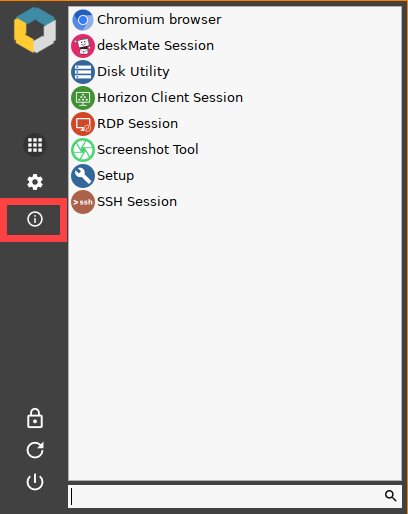
The activation/deactivation status is indicated in the About window, accessible via the icon

, as of IGEL OS 11.04.100.
-
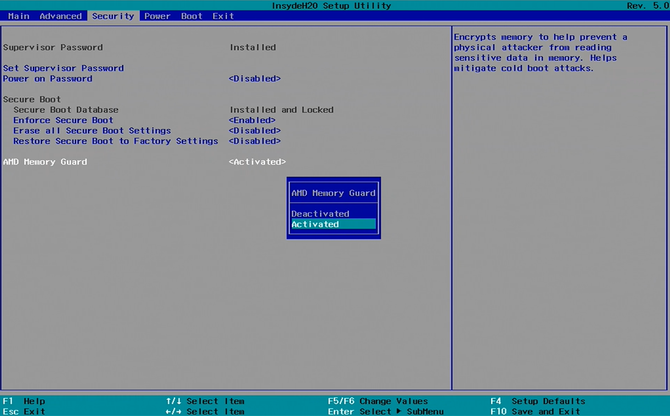
AMD Memory Guard can be deactivated in BIOS under Setup Utility > Security.
How to deactivate AMD Memory Guard
-
Turn on (or restart) your device.
-
During boot, hold the [DEL] key until you see the Front Page screen shown below.

-
Choose Setup Utility.
The InsydeH20 Setup Utility opens. -
Go to Security.
-
Select AMD Memory Guard and change the settings.
-
Press [F10] to save the changes.
As AMD Memory Guard has only a minor impact on system performance – e.g. on M350C, the reduction equals to 1-1.5% – it is advisable to leave the feature activated.