
This article shows how to configure the taskbar for the login dialog and for when the screen is locked in IGEL OS.
Menu path: Security > Logon > Taskbar
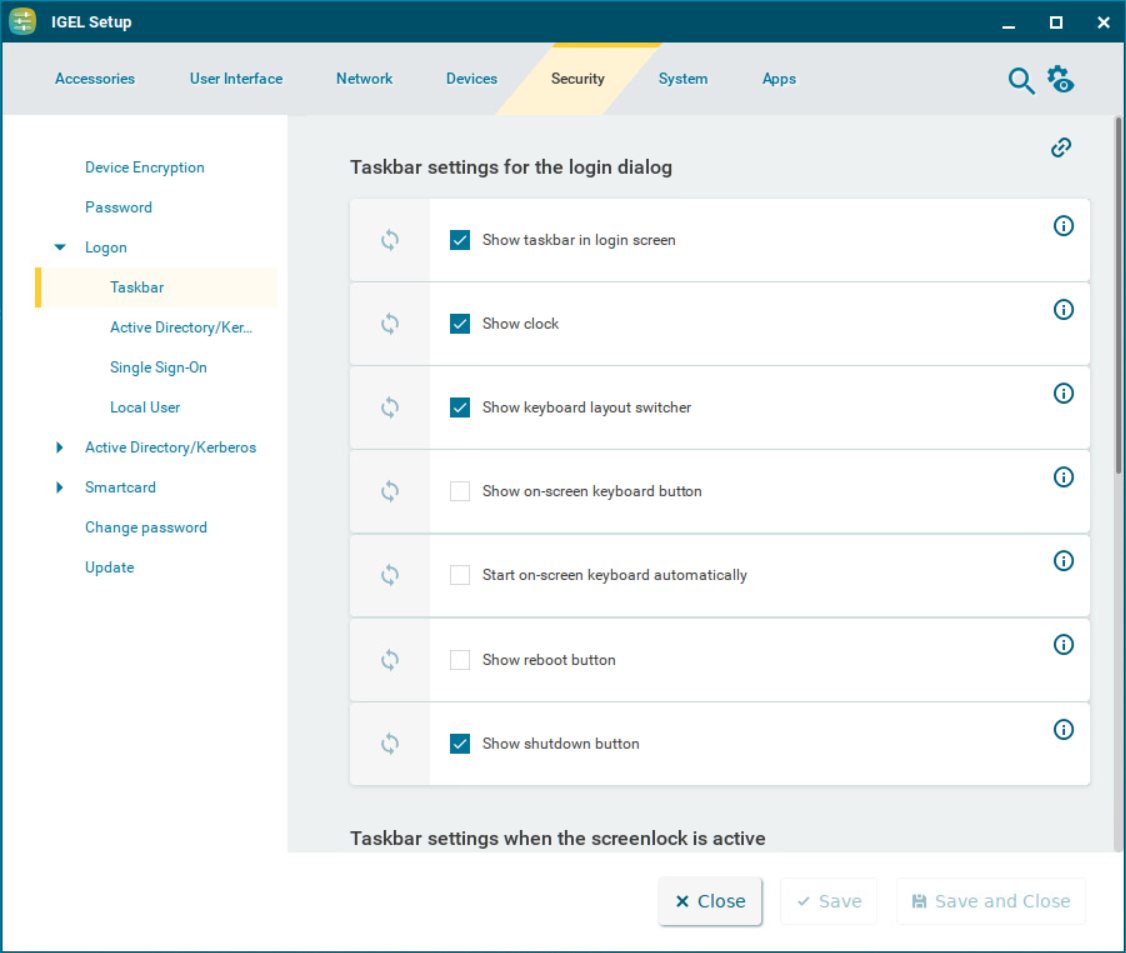
Taskbar Settings for the Login Dialog
Show taskbar in login screen
☑ A taskbar is shown in the login screen. (Default)
Show clock
☑ A clock is shown in the taskbar in the login screen. (Default)
Show keyboard layout switcher
☑ A keyboard layout switcher is shown in the taskbar in the login screen. (Default)
Show on-screen keyboard button
☑ A button to start an on-screen keyboard is shown in the taskbar in the login screen.
☐ The button is not shown. (Default)
Start on-screen keyboard automatically
☑ The on-screen keyboard is started automatically with the login screen.
☐ The on-screen keyboard is not started automatically. (Default)
Show reboot button
☑ Reboot button is shown in the taskbar in the login screen.
☐ The button is not shown. (Default)
Show shutdown button
☑ Shutdown button is shown in the taskbar in the login screen. (Default)
Taskbar Settings When the Screenlock Is Active
Show taskbar in screenlock
☑ A taskbar is shown when the screen is locked. (Default)
Show clock
☑ A clock is shown in the taskbar when the screen is locked. (Default)
Show keyboard layout switcher
☑ A keyboard layout switcher is shown in the taskbar when the screen is locked. (Default)
Show on-screen keyboard button
☑ A button to start an on-screen keyboard is shown in the taskbar when the screen is locked.
☐ The button is not shown. (Default)
Start on-screen keyboard automatically
☑ The on-screen keyboard is started automatically when the screen is locked.
☐ The on-screen keyboard is not started automatically. (Default)
Show reboot button
☑ Reboot button is shown in the taskbar when the screen is locked.
☐ The button is not shown. (Default)
Show shutdown button
☑ Shutdown button is shown in the taskbar when the screen is locked.
☐ The button is not shown. (Default)
Show logoff button
☑ Logoff button is shown in the taskbar when the screen is locked.
☐ The button is not shown. (Default)