-
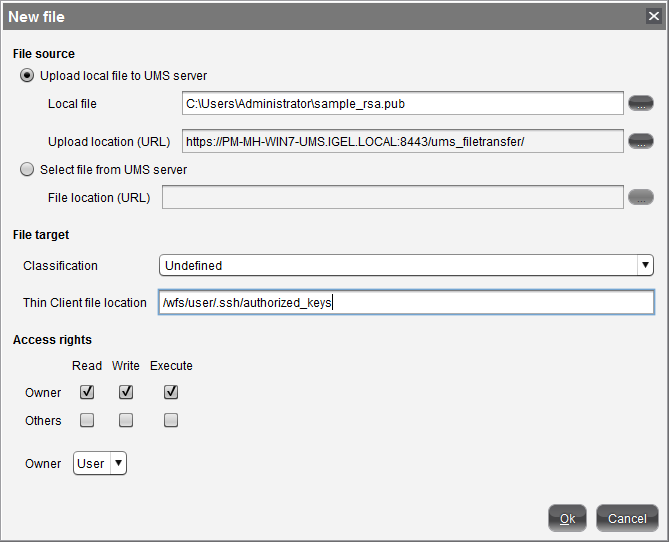
In UMS Console, right-click on Files in the navigation tree.
-
Select New File.
-
Upload the public key file (
*.pub) as a Local File.Make sure that you do not upload the private key file by mistake.
-
Set the Classification to Undefined.
-
Specify the Thin Client file location as
/wfs/user/.ssh/authorized_keys -
Leave the Access rights as Read, Write, Execute.
-
Leave the Owner as User.
-
Assign the file to the desired thin clients, profiles or directories.
If you wish to authorize more keys for SSH connections to thin clients, prepare an
authorized_keysfile containing all the public keys. Simply append them using a text editor.
