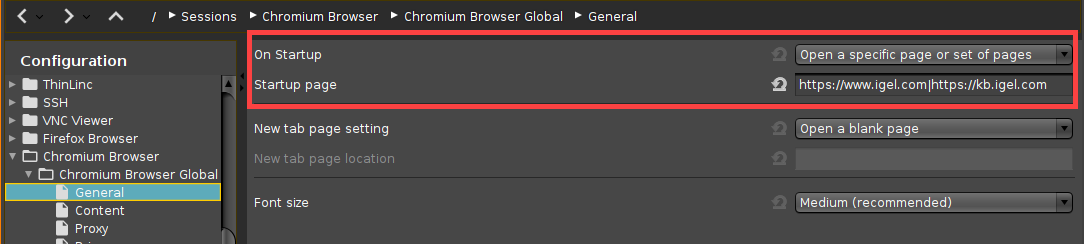
In some cases, a fixed set of start pages displayed in separate tabs may prove useful. For instance, if the browser is working in kiosk mode, reusing a set of tabs from an earlier session is not an option.
Here is how to define multiple start pages to be opened at browser startup.
Firefox
-
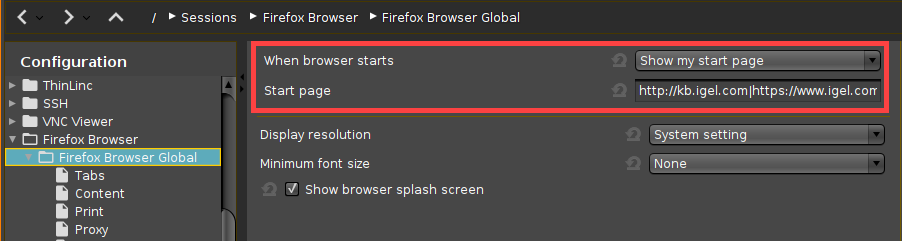
Open the IGEL Setup and go to Sessions > Firefox Browser > Firefox Browser Global.
-
Set When browser starts to Show my start page.
-
Set Start page to the URLs that the browser should open at startup. Use "|" as a separator.
-
Click Apply or Ok.
Chromium
-
Open the IGEL Setup and go to Sessions > Chromium Browser > Chromium Browser Global > General.
-
Set On Startup to Open a specific page or set of pages.
-
Set Startup page to the URLs that the browser should open at startup. Use "|" as a separator.
-
Click Apply or Ok.