Symptom
When opening some PDFs from the Internet, the Mozilla Firefox browser opens a new window or tab, but fails to display the PDF contents.
Problem
This can be due to a malfunction of the mozplugger Firefox component.
Solution
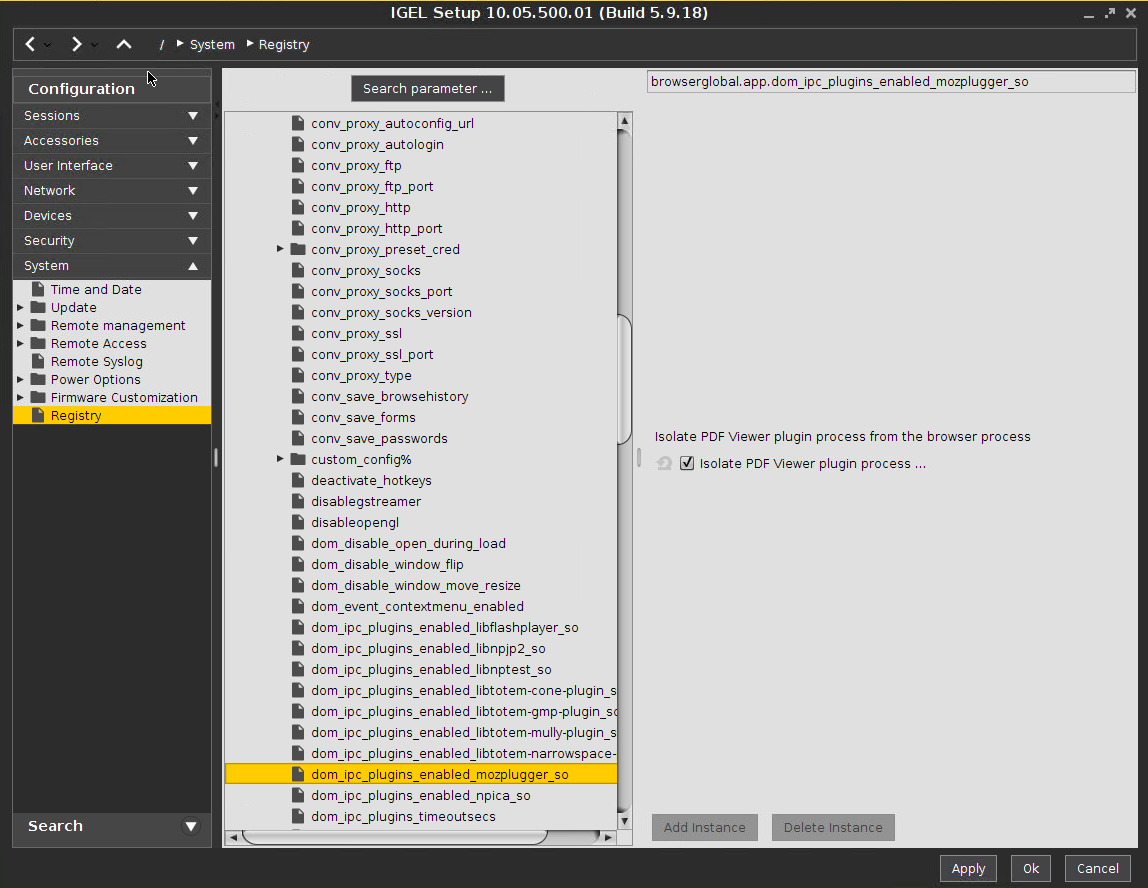
Disable mozplugger. Firefox will download the PDF document and open it with a local application (IGEL Linux 5.07.100 or newer):
-
Go to System > Registry in IGEL Setup.
-
Use Search Parameter ... to find the parameter
browserglobal.app.dom_ipc_plugins_enabled_mozplugger_so. -
Check Completely disable mozplugger.
-
Confirm the setting with Apply or OK.
-
Restart Firefox.