
-
Put all devices that are to be updated into a directory.
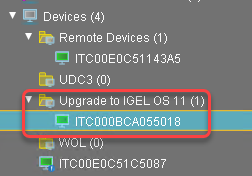
-
Select the directory and in the Assigned objects area, click

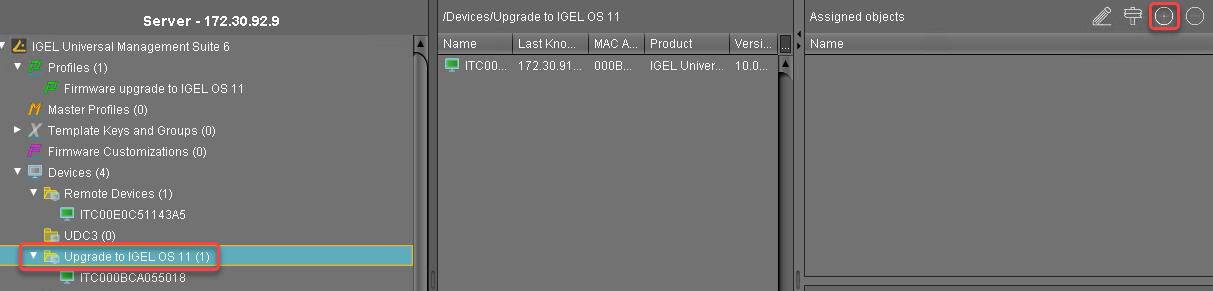
-
Assign the profile (see Creating a Profile) and the two Universal Firmware Updates (see Creating the Universal Firmware Updates 1) to the directory and click Ok.
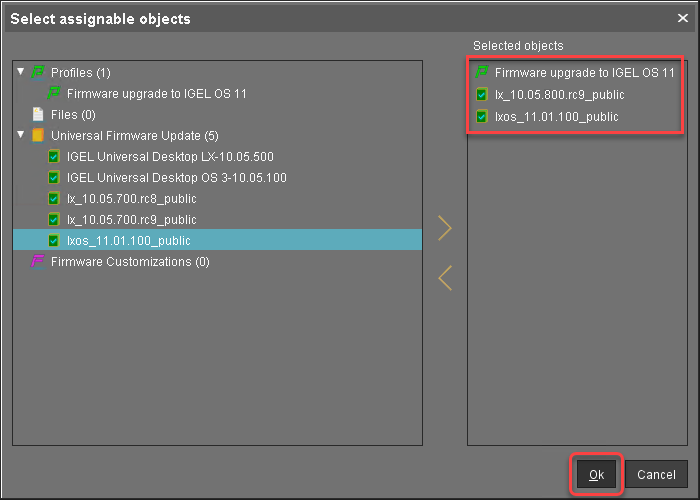
-
In the context menu of the assignment, select Now.
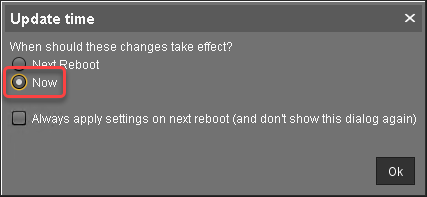
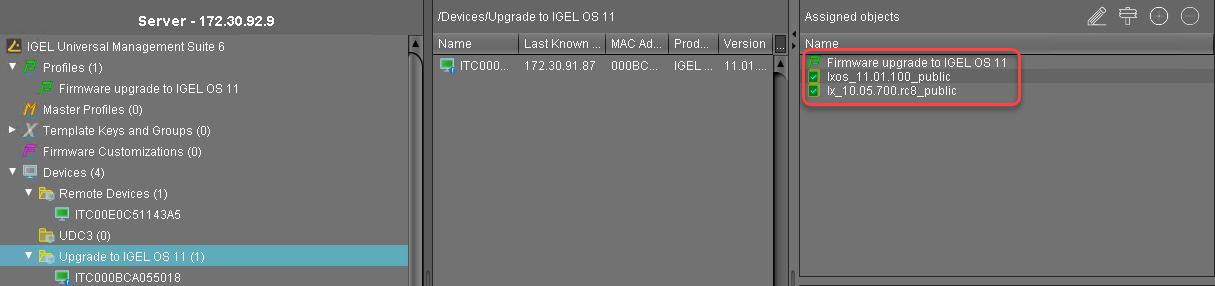
In the Assigned objects area, the profile and the Universal Firmware Updates are shown:
-
If you are using Automatic License Deployment (ALD), it might be feasible to confine the distribution of licenses to the current directory. For more information, see IGEL Subscription and More > IGEL Licensing > IGEL Software Licenses Articles > IGEL Software Licenses How-Tos > Deploying Licenses > Setting up Automatic License Deployment (ALD) with ALD Token > How to Configure the Distribution Conditions of Licenses, section "Distributing Licenses to Devices in a Specified Directory".
When everything is in place, continue with Executing the Upgrade.