
You can easily set different backgrounds for your screens.
->Click User Interface > Desktop > Background in the structure tree of the setup.
There is a configuration page for each screen.
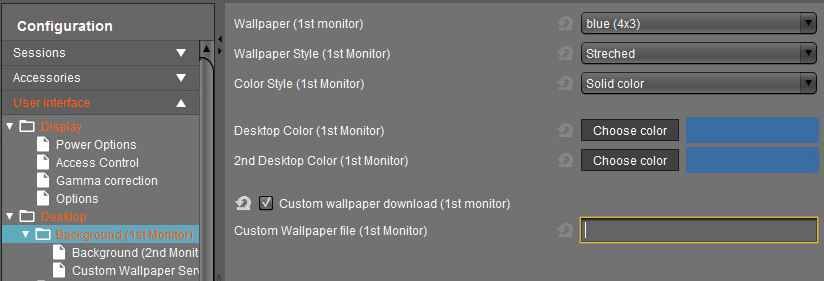
->Select the wallpaper and define the style.
You may also upload your own Custom Wallpaper, e.g. a background with your corporate design. See Creating Your Own Wallpaper.