
Symptom
In the Citrix session, you sometimes experience a problem with black blocks, frames, or stripes.
Problem
Poor performance is often connected with the delayed or slow refreshing of the screen content.
Solution
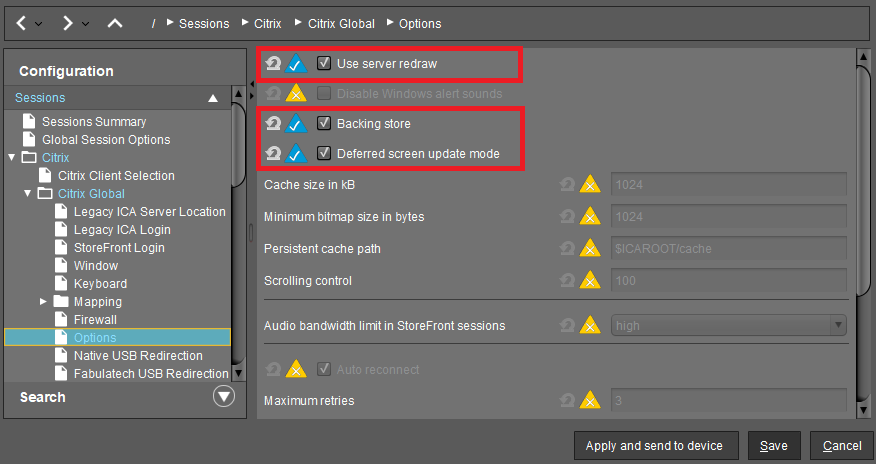
->In the IGEL Setup or the configuration dialog in the UMS, activate one of the following parameters or all of them under Sessions > Citrix > Citrix Global > Options:
-
Use server redraw
-
Backing store
-
Deferred screen update mode
See also Options for an IGEL OS Citrix Session in the manual chapter for Citrix.
If this doesn't work, see also Black Box Next to the Mouse Cursor.