
In this step, you upload the compressed zoom_[version].tar.bz2 archive and the zoom_[version].inf metadata file to the UMS, which will serve them to other devices via HTTPS. To make the file available, you have to create a file object after transferring the physical file.
Transferring the Files to the UMS
-
Make sure that the Zoom files can be accessed from the machine that hosts the UMS Console.
-
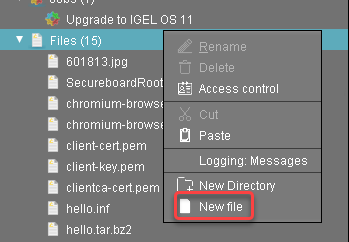
In the structure tree of the UMS Console, go to Files and select New file in the context menu.
-
Click

zoom_[version].tar.bz2on your local machine, and click Open.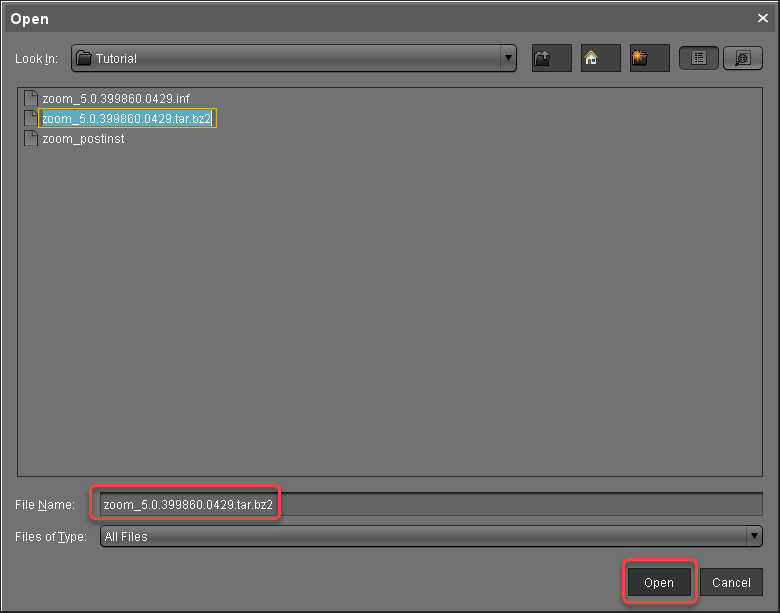
-
Click

-
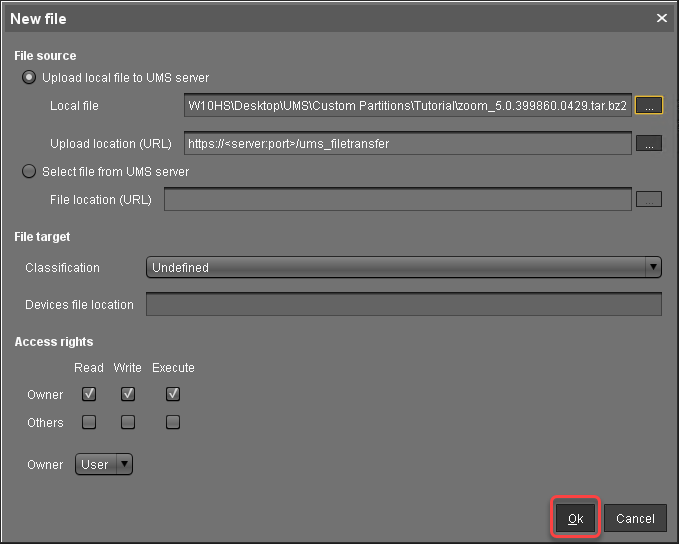
Review the file name at Local file and click Ok.
-
Repeat steps 1 to 5 for
zoom_[version].inf