
Symptom
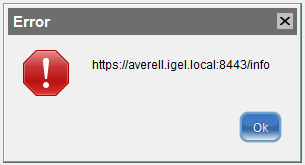
You cannot log in to the UMS after an update or the installation of the UMS Server.
An error message with the URL https://[ums_server_host]:8443/info appears:
Problem
The IGEL RMGUI Server Service has not fully started yet.
Solution
Wait for a few minutes more. After that, try to log in again.