
Question
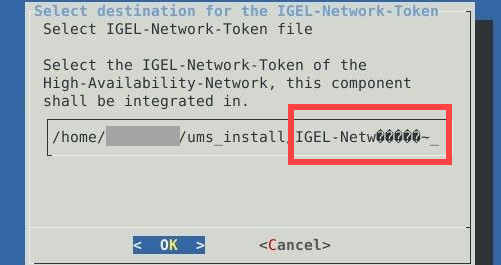
Why do I see strange symbols in the UMS installer on Linux, e.g. when saving / loading the IGEL network token?
Answer
When you want to use language-specific characters, e.g. umlauts (ä,ö, etc.), for the UMS installation on Linux:
-
the correct locale for the language must be set
-
the system locale must also be correctly set
→ Run the following command to list the available locales: locale -a
→ If the necessary locale is not listed, you can generate and set it as the default locale for your system as follows (example for German):
sudo locale-gen de_DE.UTF-8
sudo update-locale LANG=de_DE.UTF-8