
In the UMS Administration area of the UMS Console, you can grant or deny general rights Browse, Read, and Write, as well as Access Control for administrator accounts. Permissions should only be granted to users who will actually perform administrative tasks on the UMS.
You can change the permission settings after selecting a tree node in the following ways:
-
via Access control in the context menu
-
via the Access control symbol

-
via the menu item Edit > Access control
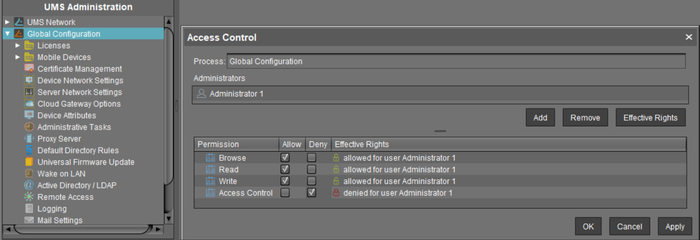
You can also manage the permission settings on administration nodes for users and groups in the IGEL UMS Web App, see How to Manage Administrative Permissions in the IGEL UMS Web App.