
Prerequisites
-
Microsoft Windows IoT 4.03.100 or higher
UD7-W10 10 supports UEFI Secure Boot by default and no BIOS update is necessary.
It is crucial to set a BIOS password to prevent users from disabling Secure Boot.
Activating the Secure Boot Feature
-
Turn on (or restart) the IGEL device.
-
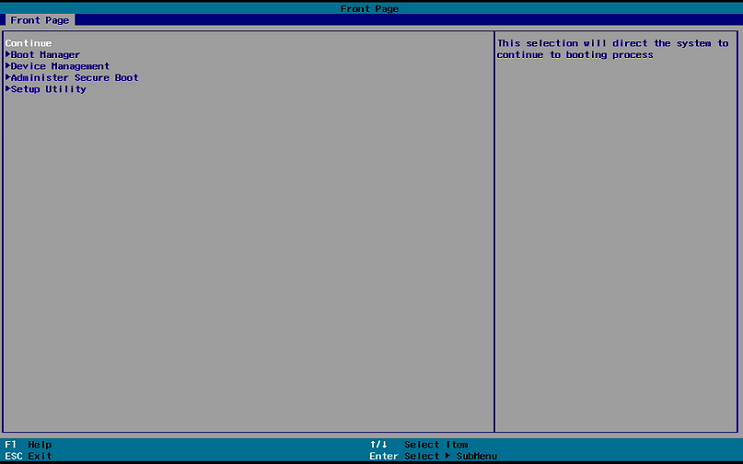
During boot, hold the [DEL] key until you see the Front Page screen shown below.
-
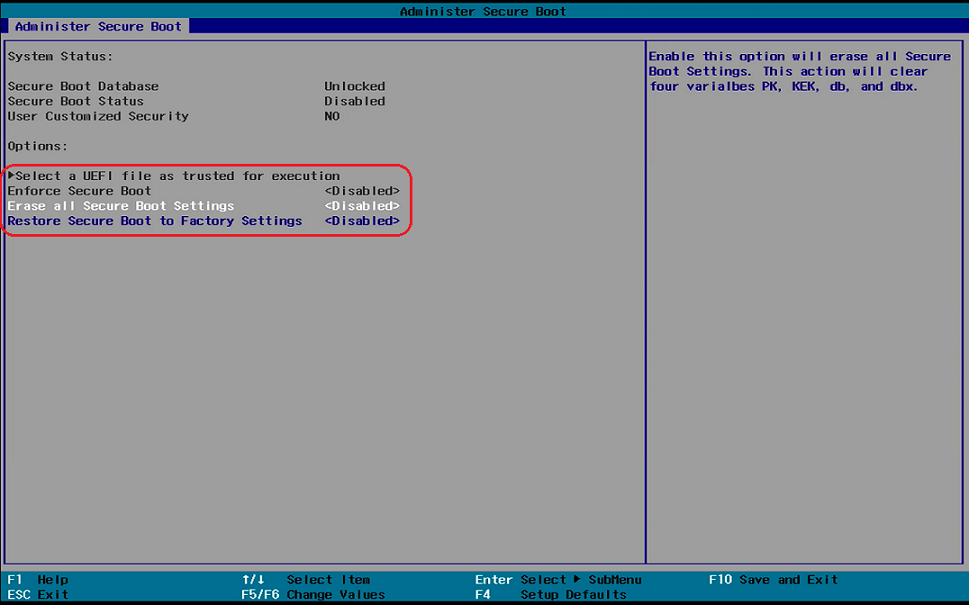
In the Administer Secure Boot screen, you will find Erase all Secure Boot Settings and Restore Secure Boot to Factory Settings set to <Disabled>.
-
Change both Erase all Secure Boot Settings and Restore Secure Boot to Factory Settings to <Enabled>.
If Enforce Secure Boot is not grayed out as in the picture below, change that option to as well.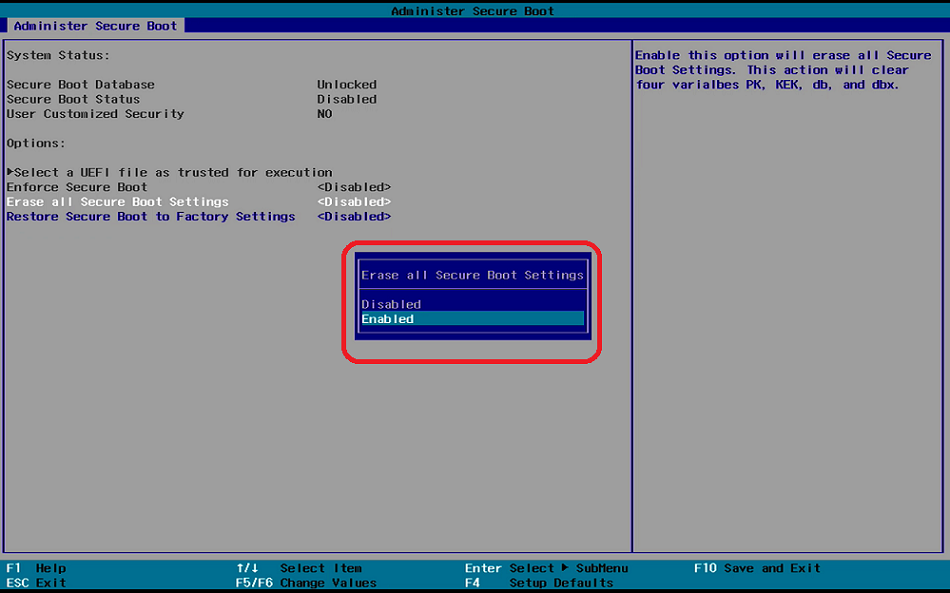
-
Save the changes. To do this, press [F10] and confirm Exit Saving Changes with [Yes].
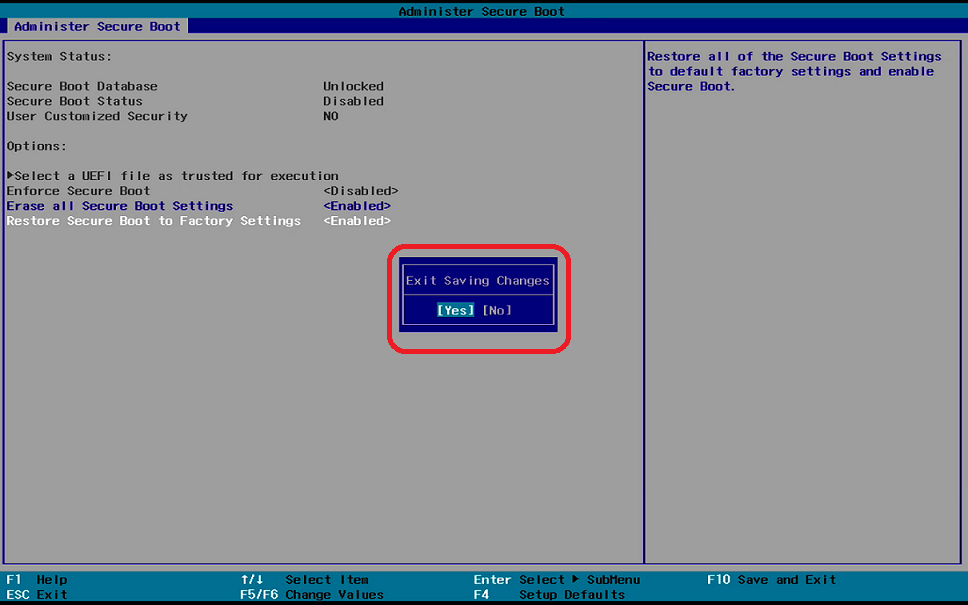
The changes will be saved and the device will be rebooted.
-
As a last step, verify that Secure Boot is working, see Verifying that Secure Boot is Enabled .