
-
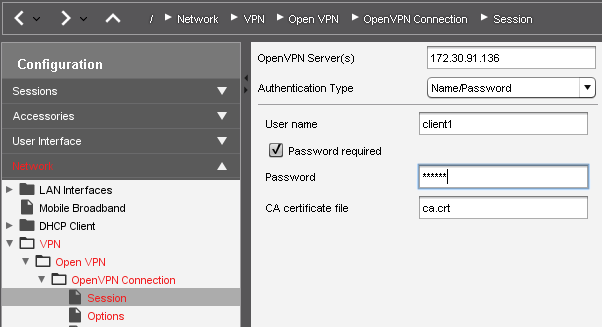
Go to Network > VPN > OpenVPN and create a new connection.
-
In the Session section for the new connection, enter the name or public IP address of the OpenVPN Server.
-
Select Name/Password as the Authentication Type.
-
Enter the Username. If you leave this field blank the user will be prompted for the Username when connecting.
-
Check Password required.
-
Enter the Password. If you leave this field blank the user will be prompted for the password when connecting.
-
Select the root certficate file of the CAAs the Certificate Authority (CA) file.
-
Click an icon for the newly created session (e.g. in the Start Menu) to initiate the connection.