Overview
You want to alter the font color of the desktop icons.
Environment
-
IGEL OS 11.05.100 or higher
Instructions
-
In the Setup, go to User Interface > Desktop.
As an alternative, you can enter the hexadecimal RGB hex value in System > Registry > windowmanager > defaulttheme > desktop_iconfont_color (registry key:
windowmanager.defaulttheme.desktop_iconfont_color). Example:#FEC429
-
Beside Desktop icon font color, click Choose color and select the desired color using the color picker. Confirm your change with Ok.
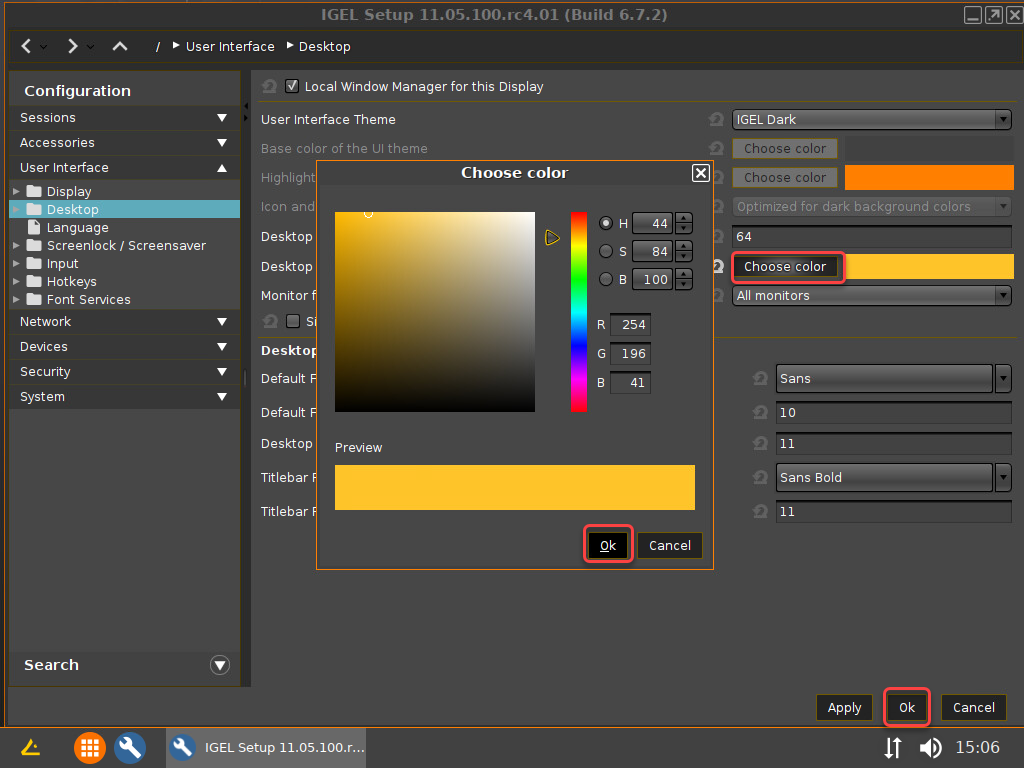
The font color of the desktop icons is changed.