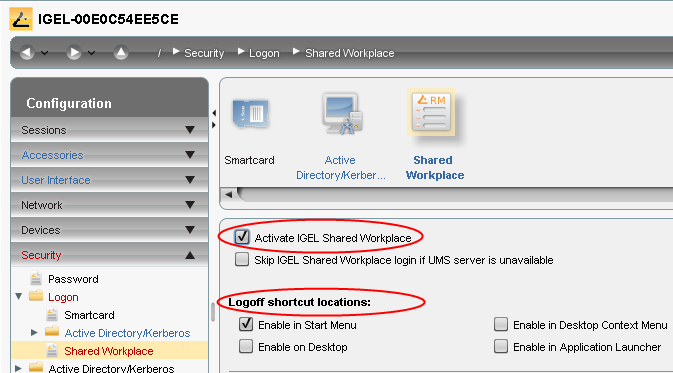
You can configure the settings for Shared Workplace from the IGEL Universal Management Suite (UMS) via a profile or directly in the setup of the relevant device.
-
Go to Configuration > Security > Login > IGEL Shared Workplace.
-
Enable the IGEL Shared Workplace function.
-
Define the link for logging off from the system (only for devices with IGEL Linux).