
The results of a view can be saved in four file formats: XML, HTML, XSL-FO, and CSV.
→ Select Save as... in the context menu of a view in order to save the current view results.
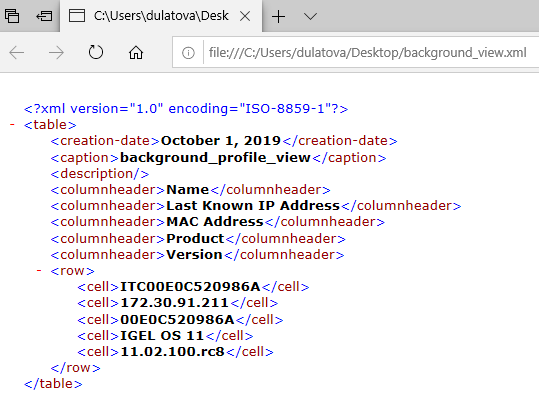
Example of an XML file for a view:
The Save as... option is always active in the context menu if Automatically load amount and items is selected under Menu Bar > Misc > Settings > Views and Searches > Page Behavior > When opening a view result... . If one of the other parameters is chosen, the Save as... option will only be active after clicking a button Load devices (or Search for hits > Load devices) in the content panel of the view. See also Views and Searches.