
To use the High Availability Extension, you have to select the option for installing the HA network components in the UMS installer.
Distributed UMS vs. UMS High Availability (HA)
If you want to install the UMS with multiple servers, IGEL recommends to use the Distributed UMS feature:
-
for new installations
-
for existing single-instance installations. For more details, see IGEL UMS Installation.
If you have an existing fully functional HA installation, you can leave everything as it is. Note, however, that no new features will be added for the UMS HA.
If you want to migrate, see How to Migrate a UMS High Availability Installation to a Distributed UMS.
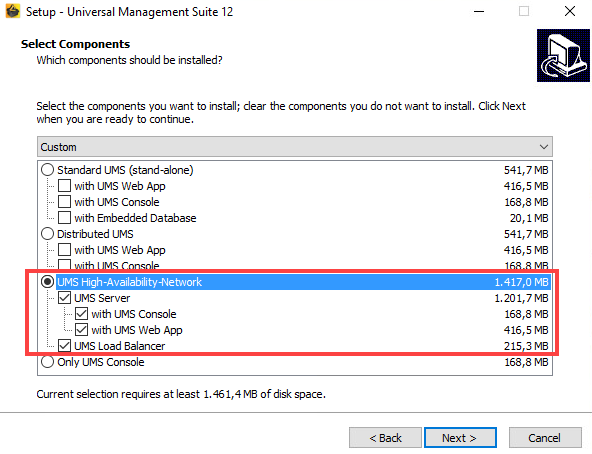
When installing the High Availability Extension, it is important to differentiate between the installation of the first HA server and further HA servers.
During the installation of the first HA server (UMS Server obligatory), an IGEL network token is created. This network token allows the integration of new servers into the same HA network and, thus, must be used when installing all subsequent HA servers.
Follow these instructions to install the High Availability Extension:
For information on how to update the HA installation, see Updating the Installation of an HA Network.