
In IGEL OS 12, you can configure the bluelight filter to reduce blue light from the display during nighttime hours. IGEL OS uses the device location to determine the sunrise and sunset times and switch between the daylight and nightlight settings.
By default, the blue light filter is disabled.
Automatic location detection does not work in IGEL OS 12. Configure the latitude and longitude manually.
Configure the Bluelight Filter
-
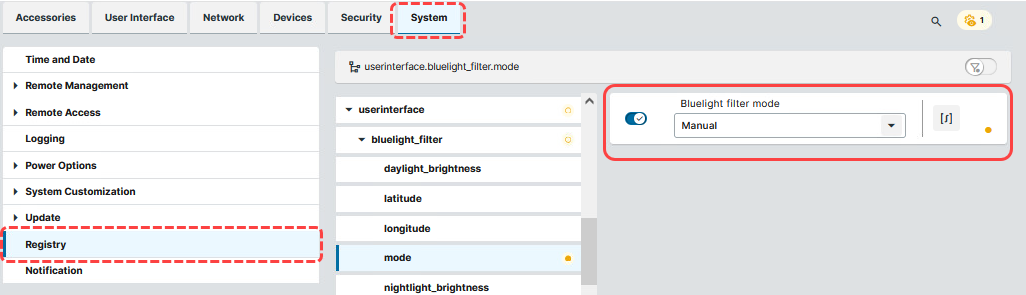
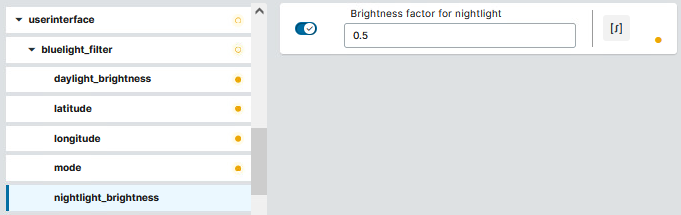
In the profile configuration dialog, go to System > Registry > userinterface > bluelight_filter.
For more information on the IGEL Registry, see Registry in IGEL OS 12.
-
Set mode to Manual.
-
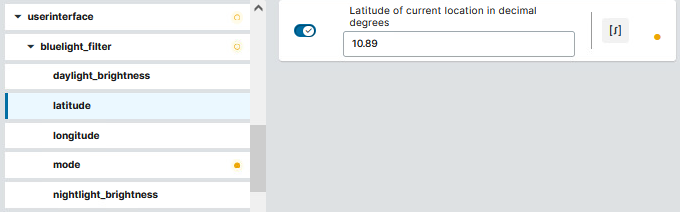
Set latitude to the latitude of the device location.
-
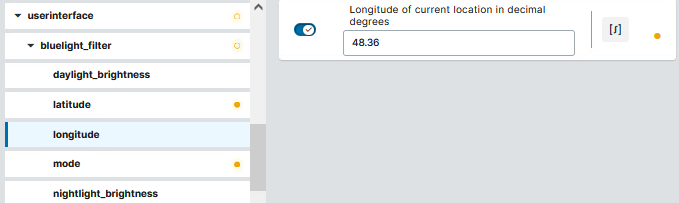
Set longitude to the longitude of device location.
-
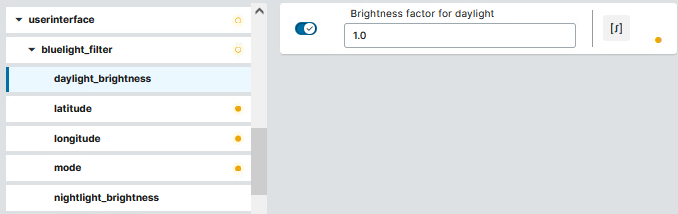
Go to daylight brightness and set the value according to your needs.
For example,1.0uses full brightness.
-
Go to nightlight brightness and set the value according to your needs.
For example,0.5uses 50% brightness.
-
Save the profile, and assign it to devices.