
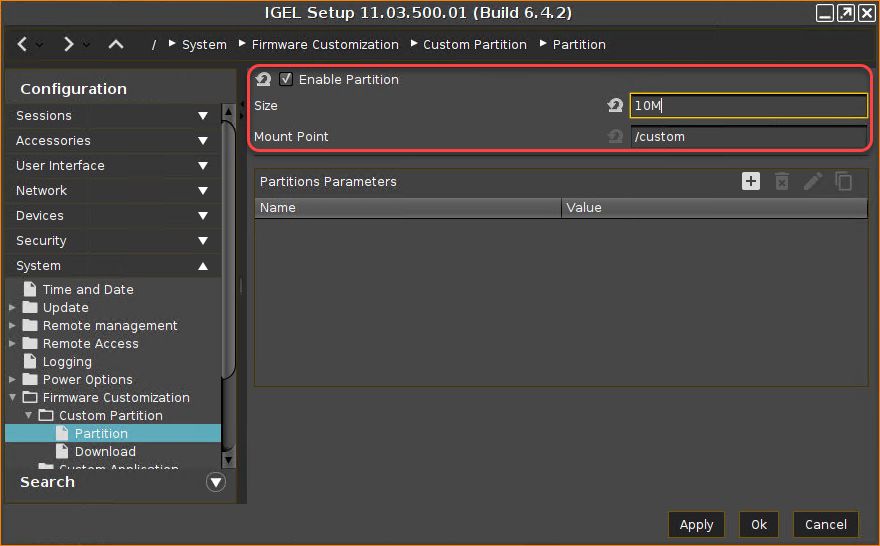
First, you must activate the Custom Partition functionality. It is deactivated by default.
-
Open the Setup and go to System > Firmware Customization > Custom Partition > Partition.
-
Check Enable Partition.
-
Set the Size to "10M" Megabyte).
-
Leave the Mount Point at
/custom
-
Click Apply.
The Custom Partition is created on the device's mass storage, which is indicated by a message.
When the Custom Partition is created and successfully mounted, the message reads:
Next Step