
On IGEL OS devices, you are using a touchpad instead of a mouse and you want to reverse the scrolling direction to have natural scrolling – with the screen content moving synchronously to the fingers' movement on the touchpad.
Problem
There is no "reverse scrolling" parameter in IGEL Setup.
Solution
-
Open the device's configuration either locally or in the UMS.
-
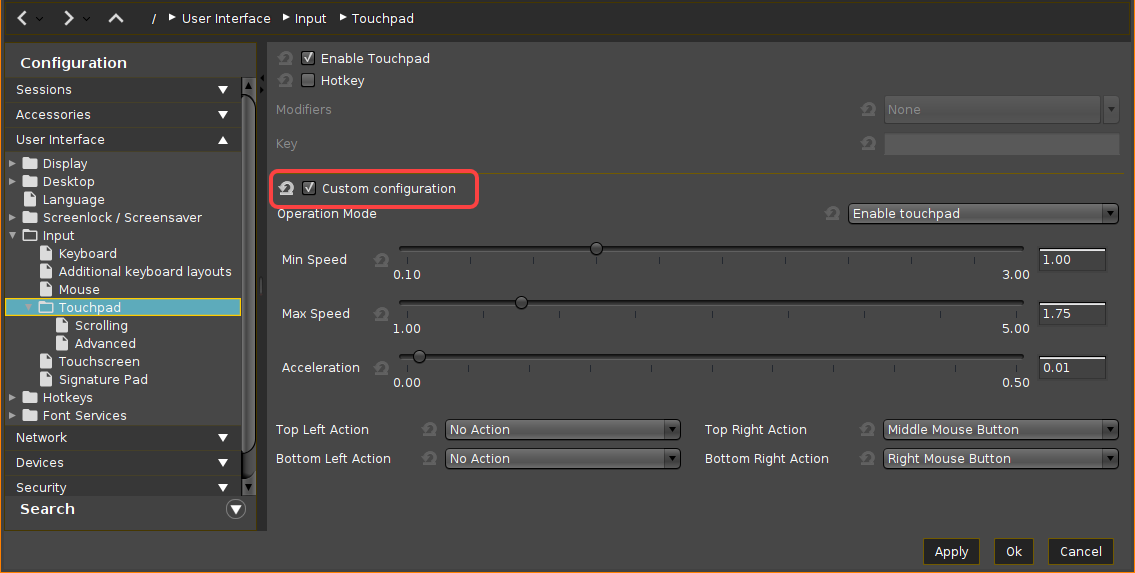
Go to User Interface > Input > Touchpad and activate Custom configuration.
-
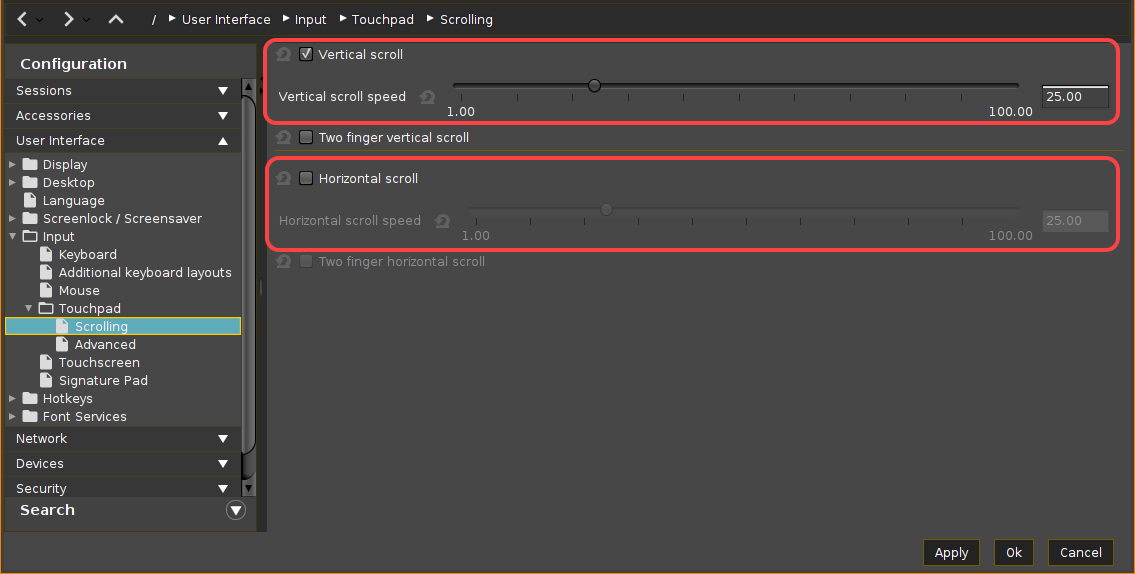
Under Scrolling, specify the Vertical scroll speed and, if required and supported, Horizontal scroll speed. (Default: 25.00)
-
Go to System > Registry > userinterface > touchpad > scrolling > vertscrolldelta and/or horizscrolldelta.
-
To enable the reverse scrolling direction, change the value to the negative one. (Example: -25.00)
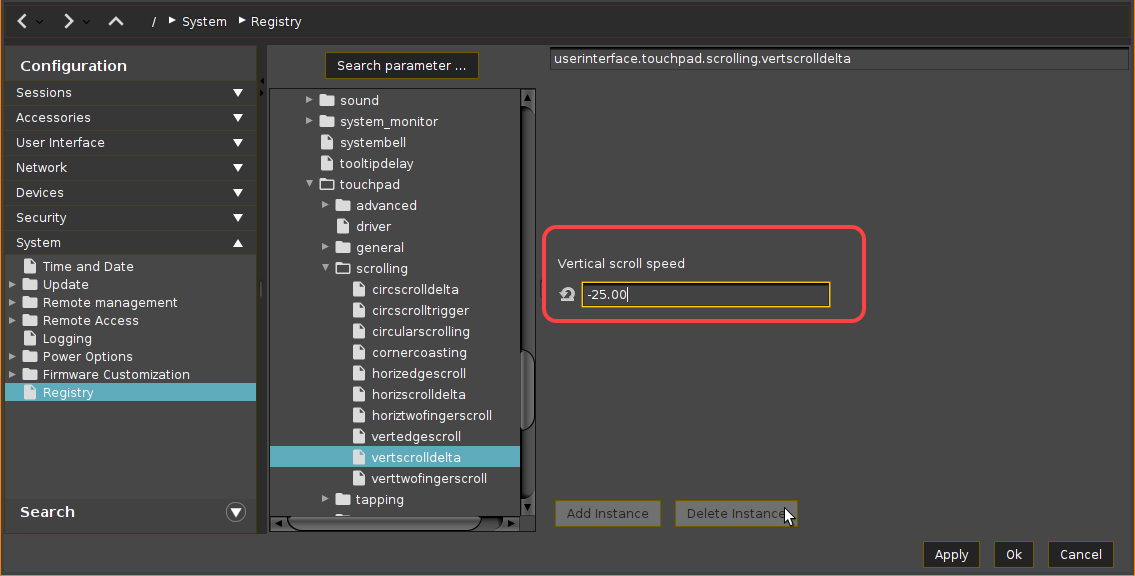
If you want to enable the normal scrolling direction again, simply change the value back to the positive one. -
Save the settings and restart the device.