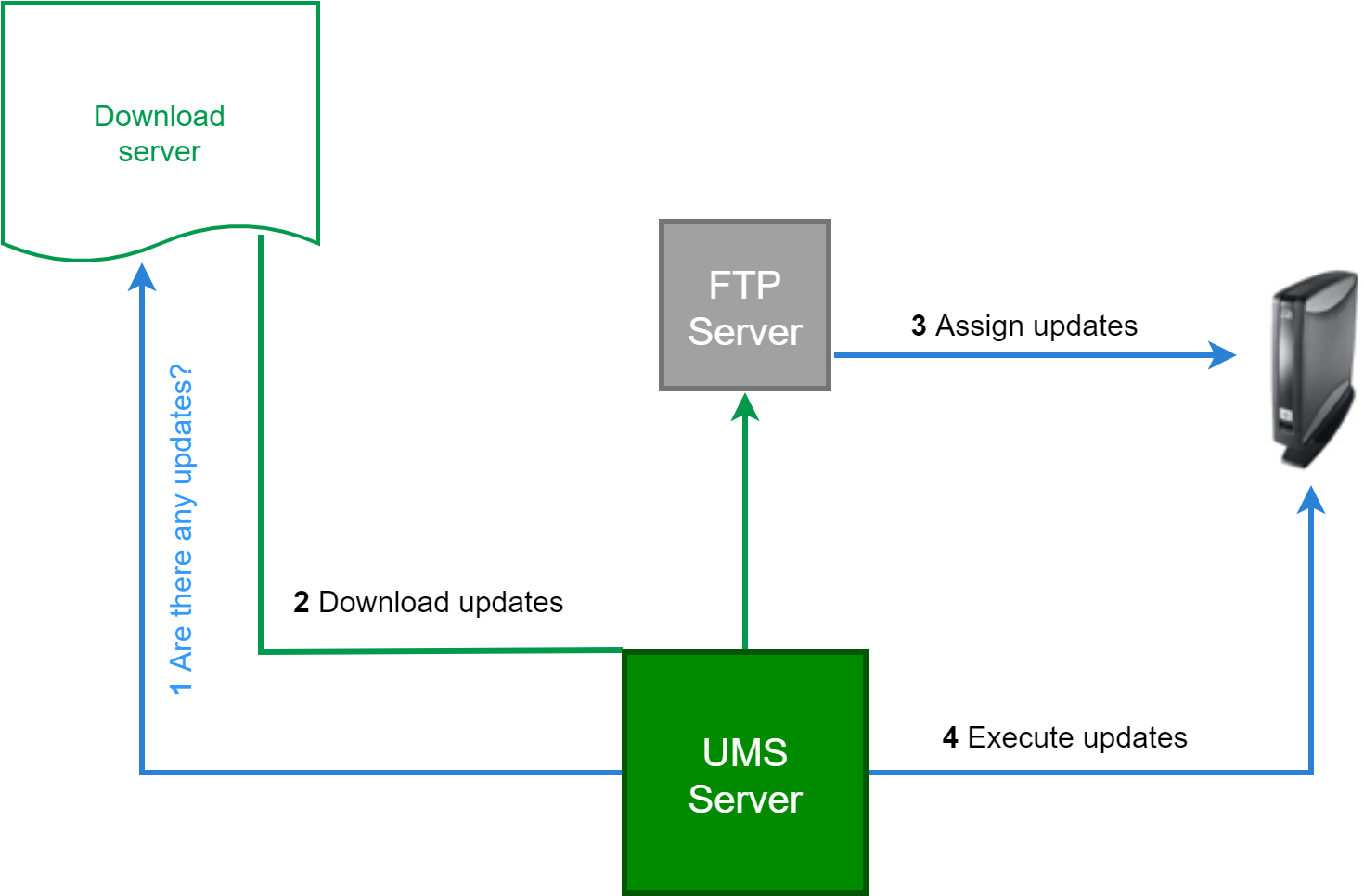
Here we show you the best practice of downloading a firmware update from our download server and distributing it to various devices in your company:
-
Check our IGEL App Portal - Software to see whether there are new updates which are relevant for your applications.
-
Download the relevant update files. (Note that an account with the UMS Admin or Super Admin role is required. For details, see Managing Users and Roles in the IGEL Customer Portal. If you are unsure which role is assigned to your account, contact your Super Admin).
-
Install an update directory for them on the UMS server or on your FTP server.
-
Assign this update directory to your devices.
-
Start the update process manually or via a Scheduled Job.