Skip to main content
AI Disclaimer
12.14.100
12.13.100
12.12.100
12.11.100
12.10.100
12.09.110
12.09.100
12.08.130
12.08.110
12.08.100
Main navigation
Close
12.14.100
12.13.100
12.12.100
12.11.100
12.10.100
12.09.110
12.09.100
12.08.130
12.08.110
12.08.100
English
German
English
German
Main
AI Disclaimer
Main
UMS Installation and Update
Sizing Guidelines for IGEL UMS 12 and IGEL OS 12
Installation Requirements for the IGEL UMS
IGEL UMS Installation
Connecting External Database Systems
Login to the IGEL UMS
IGEL UMS Update
Post-Installation Configuration of the IGEL UMS Server
IGEL Cloud Gateway vs. Reverse Proxy for the Communication between UMS 12 and IGEL OS Devices
Installation and Sizing Guidelines for IGEL UMS Environments Managing IGEL OS 11
Small Environment: UMS S
Small and Medium Environments: UMS M/S (HA)
Medium Environment: UMS M
Large Environment: UMS L (HA)
Extra Large Environment: UMS XL (HA)
UMS Articles
UMS Reference Manual
IGEL UMS Web App
UMS Extensions
UMS Release Notes
UMS as a Service
Breadcrumbs
Home
Universal Management Suite (UMS)
UMS Installation and Update
Installation and Sizing Guidelines for IGEL UMS Environments Managing IGEL OS 11
On this Page
Large Environment: UMS L (HA)
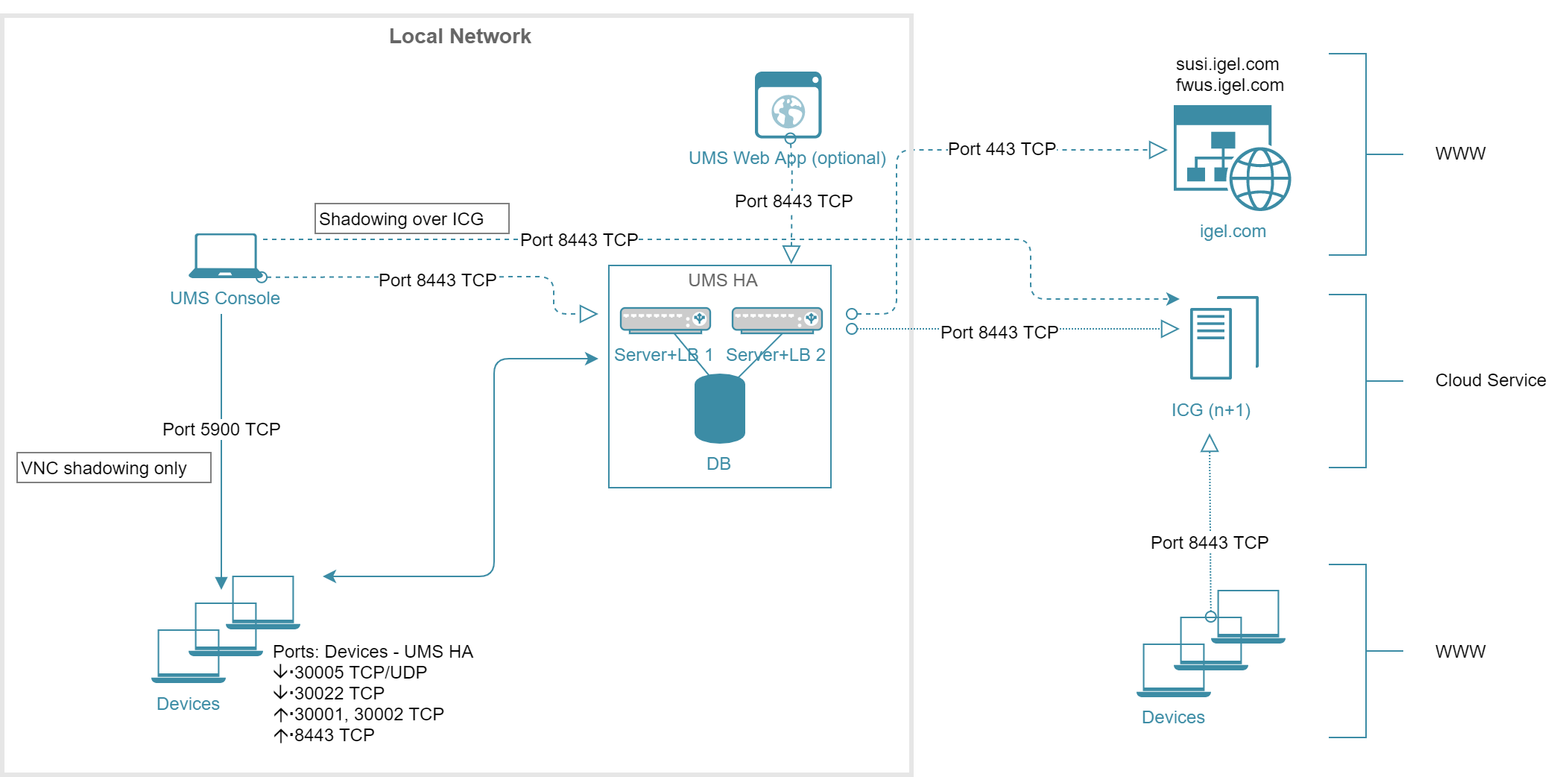
Architecture: Large Environment (HA) + ICG