
Solution Based on Experience from the Field
This article provides a solution that has not been approved by the IGEL Research and Development department. Therefore, official support cannot be provided by IGEL. Where applicable, test the solution before deploying it to a productive environment.
Distributed UMS vs. UMS High Availability (HA)
If you want to install the UMS with multiple servers, IGEL recommends to use the Distributed UMS feature:
-
for new installations
-
for existing single-instance installations. For more details, see IGEL UMS Installation.
If you have an existing fully functional HA installation, you can leave everything as it is. Note, however, that no new features will be added for the UMS HA.
If you want to migrate, see How to Migrate a UMS High Availability Installation to a Distributed UMS.
Symptom
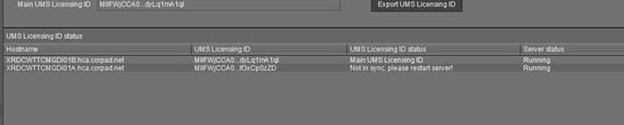
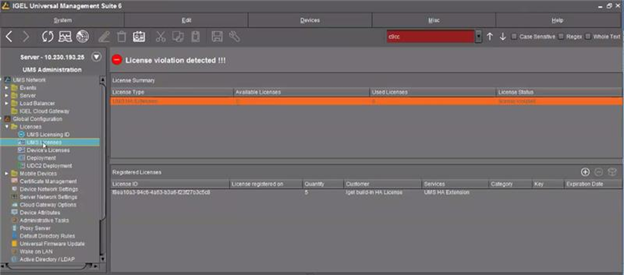
HA servers are out of sync preventing devices from registering in the UMS and throwing a license error.
Environment
-
High Availability (HA) environment
-
Firmware version: any
-
UMS version: 6.01 or higher
Problem
Devices are not able to register in the UMS. Licenses are applied correctly. 2 servers appear in sync and another one is out of sync.
Solution
Issue is related to the UMS ID. If a restart of the out-of-sync server does not help, a workaround / solution is to back up the UMS ID from the UMS Administrator and restore it to the out-of-sync server. See Manual Synchronization of the UMS ID.