
This article shows how to configure the appearance of the on-screen keyboard in IGEL OS.
The layout for the normal keyboard is used for the on-screen keyboard.
Menu path: User Interface > Input > Touchscreen > On-screen keyboard > Appearance
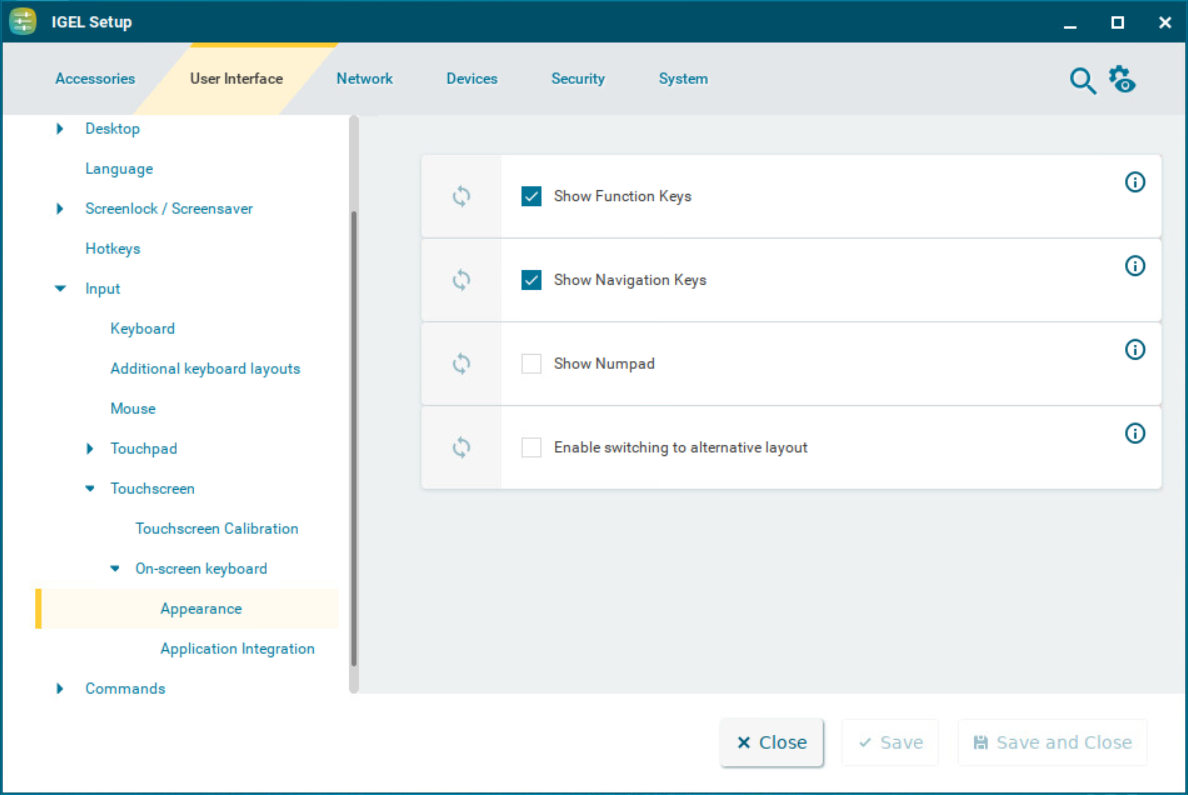
Show function keys
☑ The on-screen keyboard features the function keys [F1] ... [F12]. (Default)
Show navigation keys
☑ The on-screen keyboard features the arrow keys for navigating on the screen. (Default)
Show Numpad
☑ The on-screen keyboard features the number block.
☐ The on-screen keyboard does not feature the number block. (Default)
Enable switching to alternative layout
☑ The on-screen keyboard has an additional key by which the user can toggle between the normal layout and a reduced layout. The reduced layout resembles the numpad, with the following differences:
-
Additional backspace key [←]
-
Additional tab key [↹]
-
Additional space key [ ]
-
Additional escape key [Esc]
-
Return key [⏎] instead of [Enter] key
☐ Switching to the reduced layout is not possible. (Default)