
Setting Up the Local Terminal
If a local terminal session has already been configured on the designated personalization machine, you can skip this step.
-
Open the device's Setup and go to Accessories >Terminals.
-
Select

-
Click Ok.
On the desktop and in the Application Starter, a starter for the terminal session is created.
Assigning the File Objects to the Personalization Machine
-
In the UMS structure tree, select the endpoint that will act as the personalization machine.
-
In the Assigned objects area, click

-
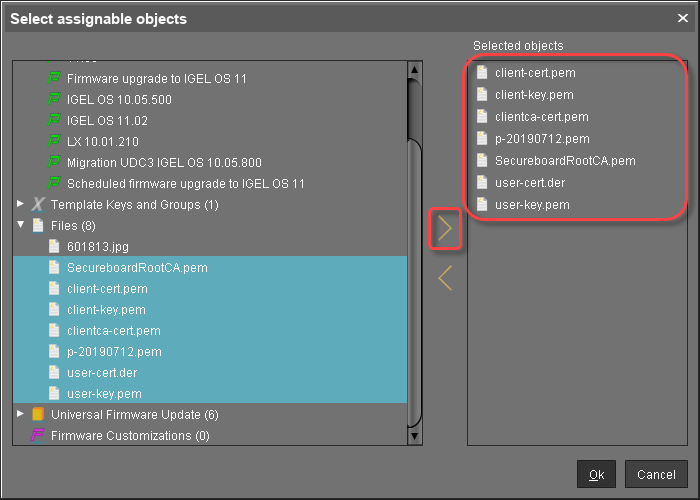
Under Files, select the file objects using the

-
SecureboardRootCA.pem
-
Device intermediate CA certificates; here: p-20190712.pem
-
user-cert.der
-
user-key.pem
-
client-cert.pem (optional)
-
client-key.pem (optional)
-
Device client CA certificate; here: clientca-cert.pem (optional)
-
-
Click Ok.
-
In the Update time dialog, select Now and click Ok.
The certificate and key files are transferred to the personalization machine. The personalization machine is ready for operation.