
You can control the use of Bluetooth devices on your IGEL OS 12 endpoints. Bluetooth access control helps to prevent unauthorized Bluetooth peripherals from connecting to endpoints, which reduces security risks and ensures compliance with organizational policies.
The main features of Bluetooth access control on IGEL OS 12 include the following:
-
Differentiation between Bluetooth device classes (e.g. audio/video, phone, peripheral/HID, etc.)
-
Whitelisting specific device classes
-
Blocking all non-approved device classes
Menu path: Devices > Bluetooth > Access Control
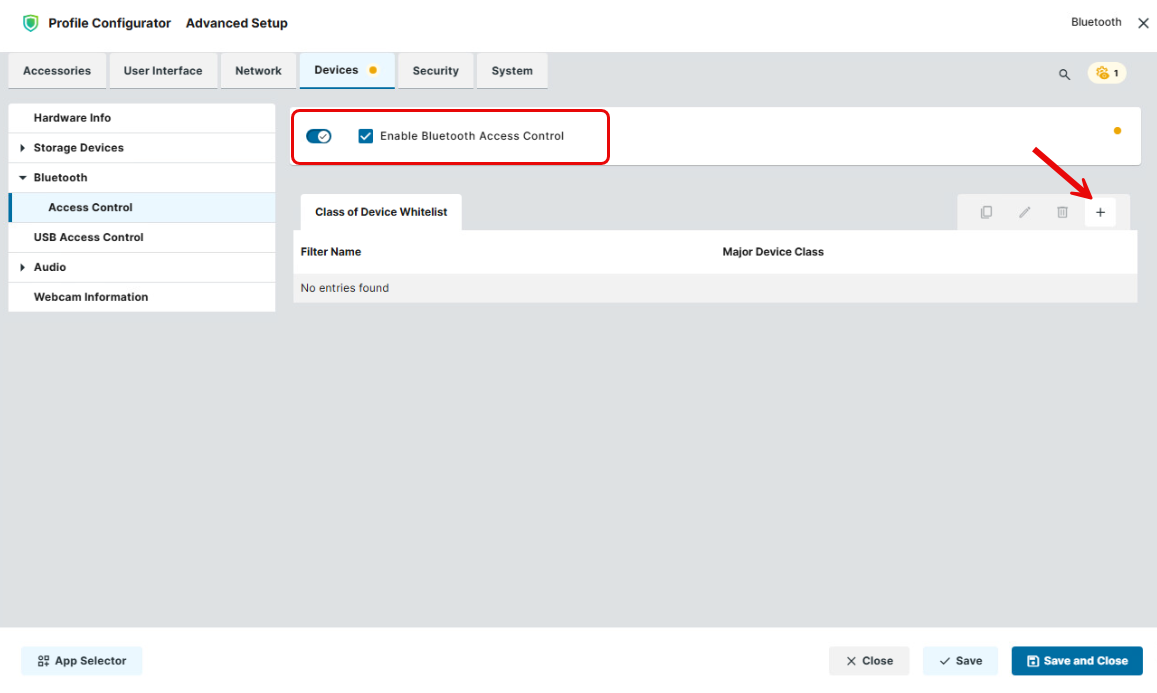
Enable Bluetooth Access Control
- Bluetooth access control is inactive. (Default)
- Bluetooth access control is enabled and you can whitelist specific device classes.
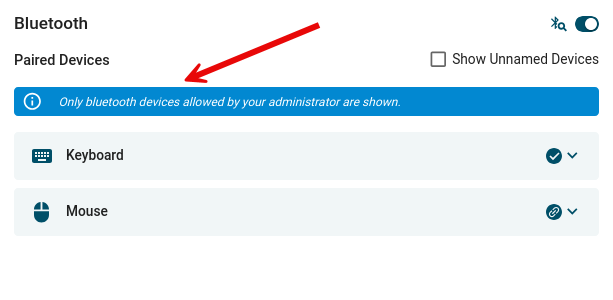
The end user sees the corresponding notification:
Class of Device Whitelist
Bluetooth devices from device classes listed here are allowed on the IGEL OS endpoint. The connection of Bluetooth devices from classes not listed here is prohibited.
To manage the whitelist of device classes:
-
Click

-
Click

-
Click

-
Click

→ To whitelist a specific device class, click the + button and define the following settings:
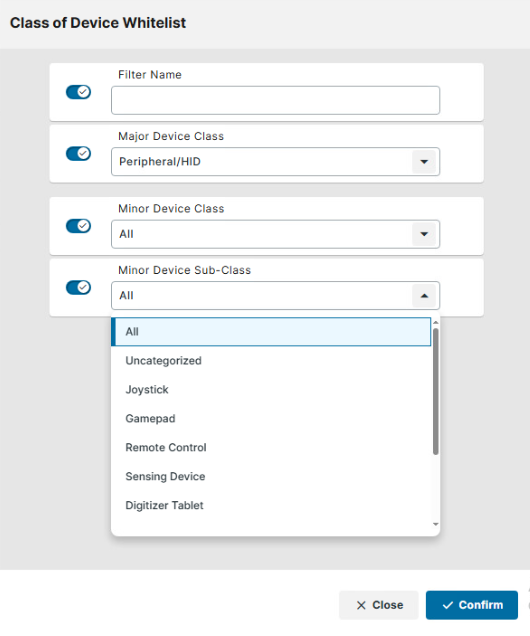
Filter name
Name of the filtering criterion. You can provide any name here.
Major device class
Device class that must be whitelisted, e.g. audio/video, peripheral/HID, health, etc. Depending on your selection, Minor device class and Minor device sub-class can be configured.