
This article shows how to configure energy-saving stages for the display in IGEL OS.
Changing the default settings may result in higher power consumption and shorter battery runtime.
Menu path: System > Power Options > Display > Brightness Reduction
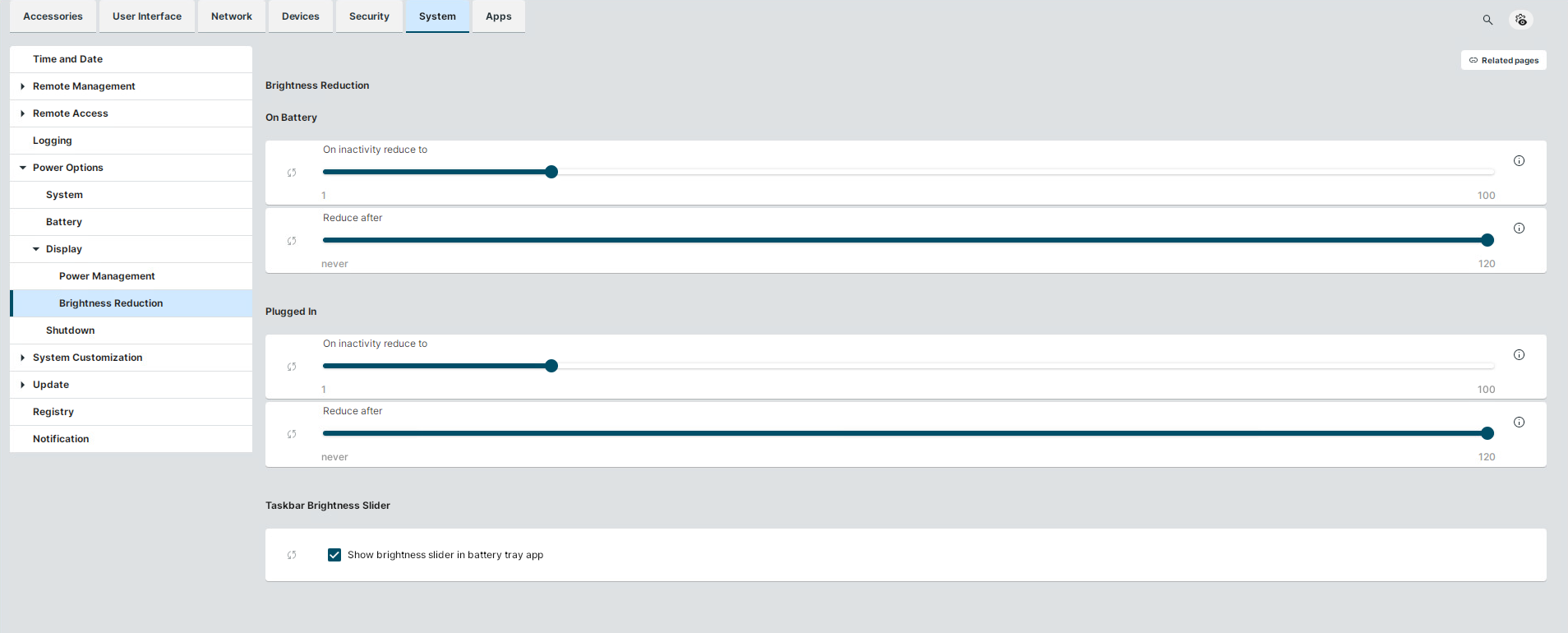
These settings are relevant for mobile devices resp. for devices with integrated display.
If a device is switched on but not used for some time, energy can be saved by brightness reduction. The values of the reduction are configured separately for On Battery and Plugged In use of the device.
On Battery / Plugged In
On inactivity reduce to
The percent value to which the brightness is reduced after a period of inactivity.
Reduce after
The period of inactivity after which brightness is reduced. You can set the period between 10-120 seconds. Setting the value to 9 deactivates the reduction.
Taskbar Brightness Slider
☑ Show brightness slider in battery tray app. (Default)