
In IGEL OS 12, you can configure up to 4 bonding groups for network bonding. This article describes the available bonding group settings.
Menu path: Network > LAN Interfaces > Bonding groups > [Group]
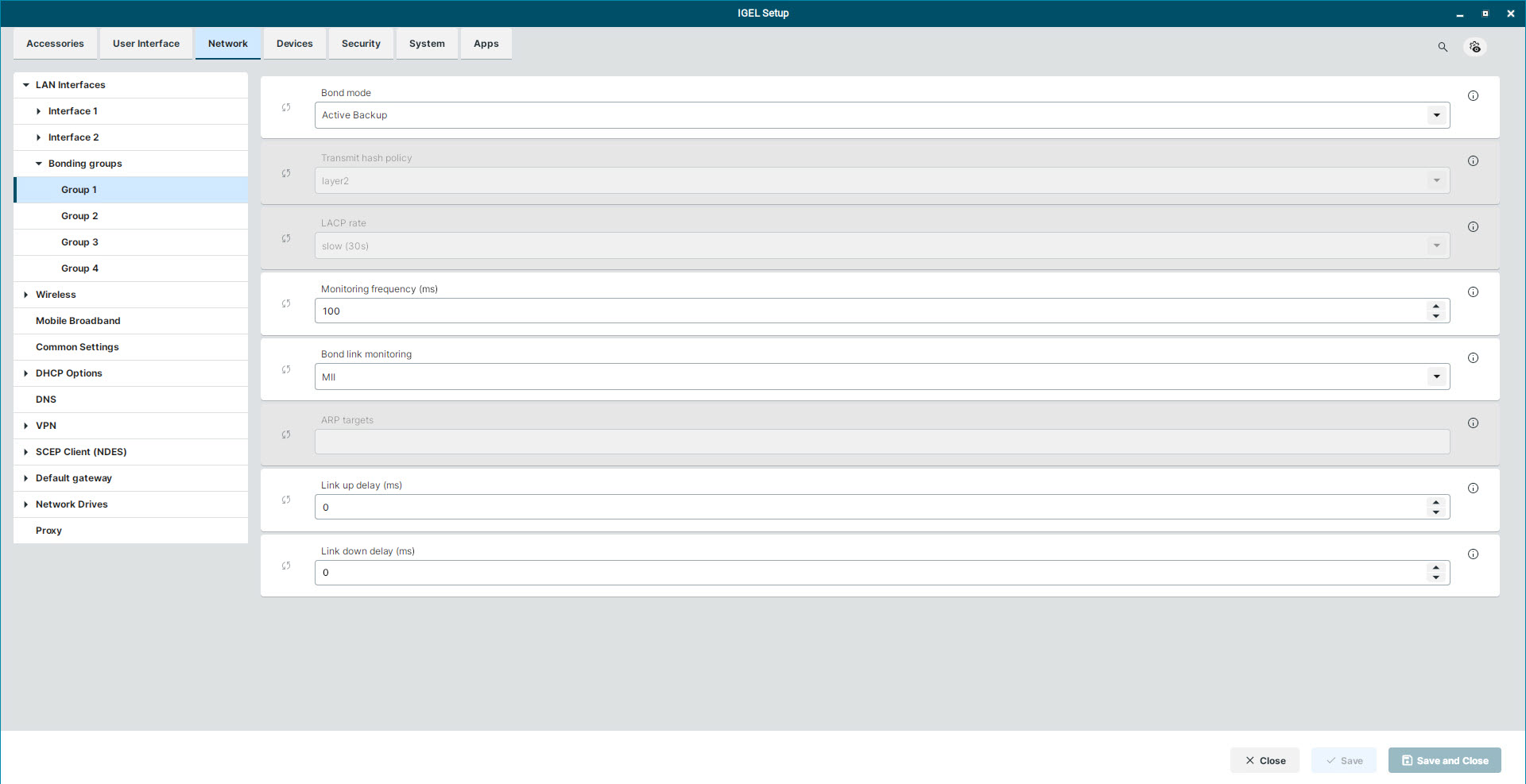
Bonding Group Settings
Bond mode
The following bond modes are available:
-
Active Backup (Default)
-
Round Robin (balance-rr)
-
802.3ad (LACP) (Link Aggregation Control Protocol)
-
XOR (balance-xor)
-
TLB (Transmit Load Balancing) (balance-tlb)
-
ALB (Adaptive Load Balancing) (balance-alb)
-
Broadcast
Transmit hash policy
This setting is available when you select one of the following bond modes:
-
802.3ad (LACP)
-
XOR
-
TLB
The following options are available:
-
layer2 (Default)
-
layer3+4
-
layer2+3
-
encap2+3
-
encap3+4
-
vlan+srcmac
LACP rate
This option only becomes available when you select the bond mode 802.3ad (LACP).
The following options are available:
-
slow (30s) (Default)
-
fast (1s)
Monitoring frequency (ms)
Set the interval between link-monitoring checks. (Default: 100 milliseconds)
For MII bond link monitoring, this sets the MII interval; for ARP bond link monitoring, it sets the ARP interval.
Bond link monitoring
Set the bond link monitoring method. The following options are available:
-
MII (Media Independent Interface) (Default)
-
ARP (Address Resolution Protocol)
ARP targets
This setting is available when you select ARP as the Bond link monitoring method.
Enter the IP addresses that the device queries to verify the bond connection. Separate multiple IP addresses with commas.
Link up delay (ms)
This setting only applies when you select MII as the Bond link monitoring method.
Set the delay in milliseconds after link recovery before enabling a slave. (Default: 0) Use a value that is a multiple of the monitoring frequency.
Link down delay (ms)
This setting only applies when you select MII as the Bond link monitoring method.
Set the delay in milliseconds after link failure before disabling a slave. (Default: 0) Use a value that is a mutliple of the monitoring frequency.
Additional Bonding Group Settings in the Registry
There are some network bonding configuration parameters that are only available in the form of registry keys. You can find these registry keys through the search in the configurator with Include Registry enabled. For details, see Registry in IGEL OS 12.
Bond options must be valid together for the selected mode and monitoring method. An incompatible combination can prevent NetworkManager from accepting the connection.
|
Registry Key |
Parameter |
Supported Values and Applicability |
|---|---|---|
|
|
Fail-over MAC |
Values: Applies to: Active Backup mode |
|
|
Primary reselect |
Values: Applies to Active Backup, TLB, and ALB modes. |
|
|
ARP validate |
Values: Applies to ARP monitoring. |
|
|
Deliver traffic on inactive slaves |
Values: If enabled, received frames on inactive slaves are delivered instead of dropped. |
|
|
Bond options (fallback) |
Enter comma-separated This is a catch-all field for additional NetworkManager bond options. When the field is not empty, its options are applied after the individual bond settings. New keys supplement the individual settings, while matching keys override them. |
|
|
Autoconnect retries |
Values: Applies only to the bond connection. |