
With Wake-on-Lan (WoL), you can switch on devices over the network.
For further information on the WoL functionality of the Universal Management Suite (UMS), see Wake on LAN Configuration in the IGEL UMS.
Alternative Wake-on-Lan Options
On this Setup page, you can enable or disable Wake-on-Lan via a magic packet. Alternatively, you can set your IGEL OS device to use other options for Wake-on-Lan, but this should be tested thoroughly to avoid issues. The following options can be configured via the Registry (System > Registry):
-
Wake on ARP packet:
network.interfaces.ethernet.device%.wol.wake_arp -
Wake on broadcast message:
network.interfaces.ethernet.device%.wol.wake_bcast -
Wake on multicast message:
network.interfaces.ethernet.device%.wol.wake_mcast -
Wake on physical activity:
network.interfaces.ethernet.device%.wol.wake_phy -
Wake on unicast message:
network.interfaces.ethernet.device%.wol.wake_ucast
WoL via Docking Stations and USB-C-to-LAN adapters
When using the supported devices with USB-C docking, or USB-C-to-LAN adapters, WoL is only supported from suspend mode and not power off mode. For more details, see Devices Supported by IGEL OS 12 .
IGEL OS 12.3.2 or higher: WoL Setting in BIOS is Detected on Supported Lenovo Devices
On Lenovo devices that are supported by IGEL OS 12, the system can detect whether WoL is enabled in the BIOS or not. If the system detects that WoL is disabled in the BIOS, all WoL described on this configuration page is disabled.
You can enable or disable the WoL detection with System > Registry > network > interfaces > respect_bios_wol_setting (registry key network.interfaces.respect_bios_wol_setting).
Menu path: Network > LAN Interfaces > [Interface] > Wake On LAN
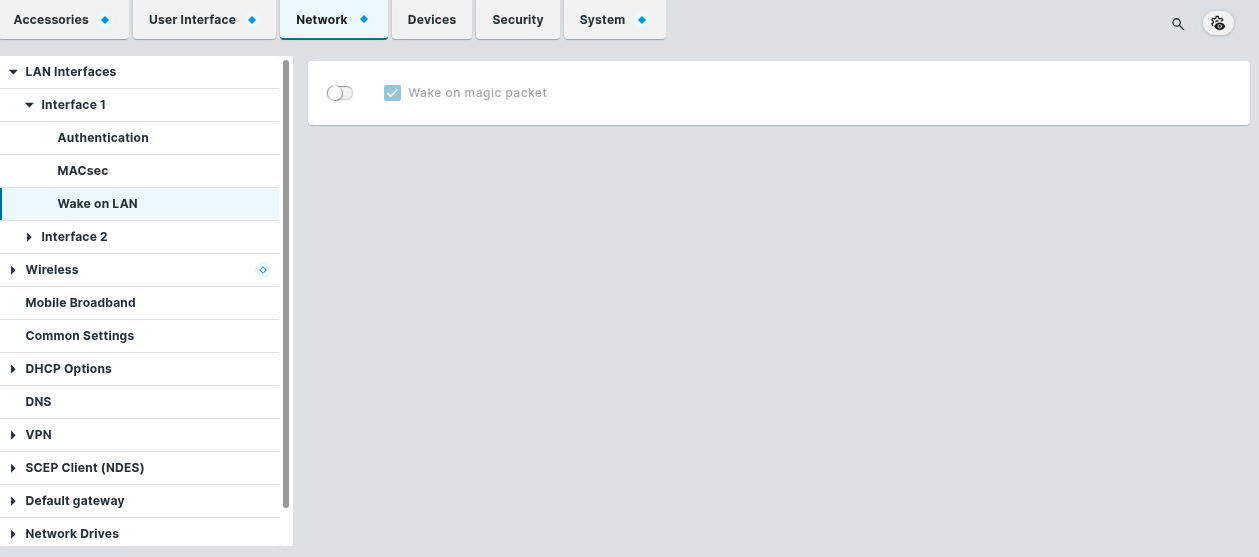
Wake on magic packet
☑ The device can be started with a Wake-on-LAN magic packet. (Default)