
This article shows how to set up system command sessions in IGEL OS.
Menu path: User Interface > Commands > Shutdown menu / Sort icons / Restart windowmanager
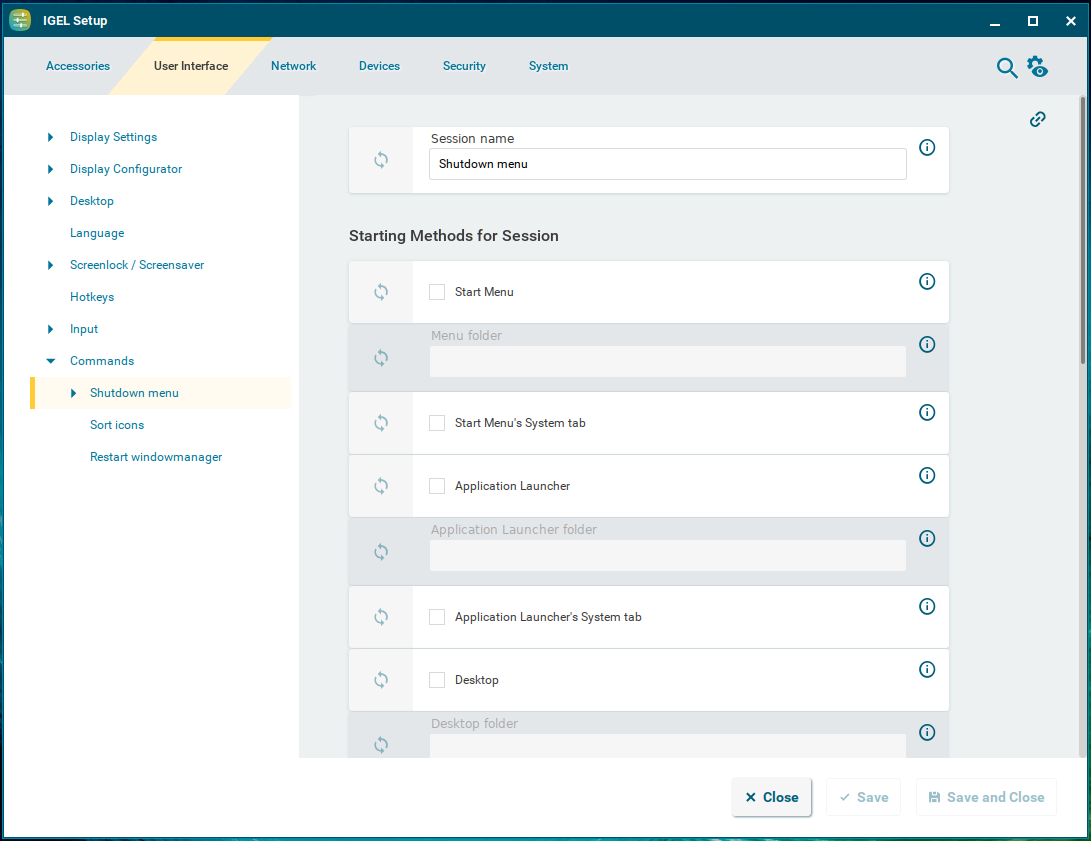
System commands can be made accessible to the user through configuring them as sessions:
-
Shutdown menu: Opens the shutdown menu. You can configure the shutdown menu under System > Power Options > Shutdown. For more information, see Shutdown Settings in IGEL OS 12.
-
Sort icons: Arranges the icons into a structured grid layout. Icons are automatically aligned in vertical columns and grouped together to form a clean, compact block instead of being freely positioned on the screen.
The sorting behavior of desktop icons can also be configured in IGEL Setup under System > Registry > windowsmanager > defaulttheme > icon_sort.
Two sorting options are available:
-
Default: Uses the original sorting behavior. Icons are arranged according to the internal filename and follow the standard system sorting logic. This preserves the existing behavior and layout.
-
Alphanumeric: Automatically sorts icons in order from 0–9 and A–Z. Numbers are sorted numerically, followed by letters in alphabetical order.
-
Restart windowmanager: Restarts the device's user interface.
The starting methods parameters are described under Starting Methods for Apps.
Quick Access
Menu path: User Interface > Commands > Shutdown Menu > Quick Access
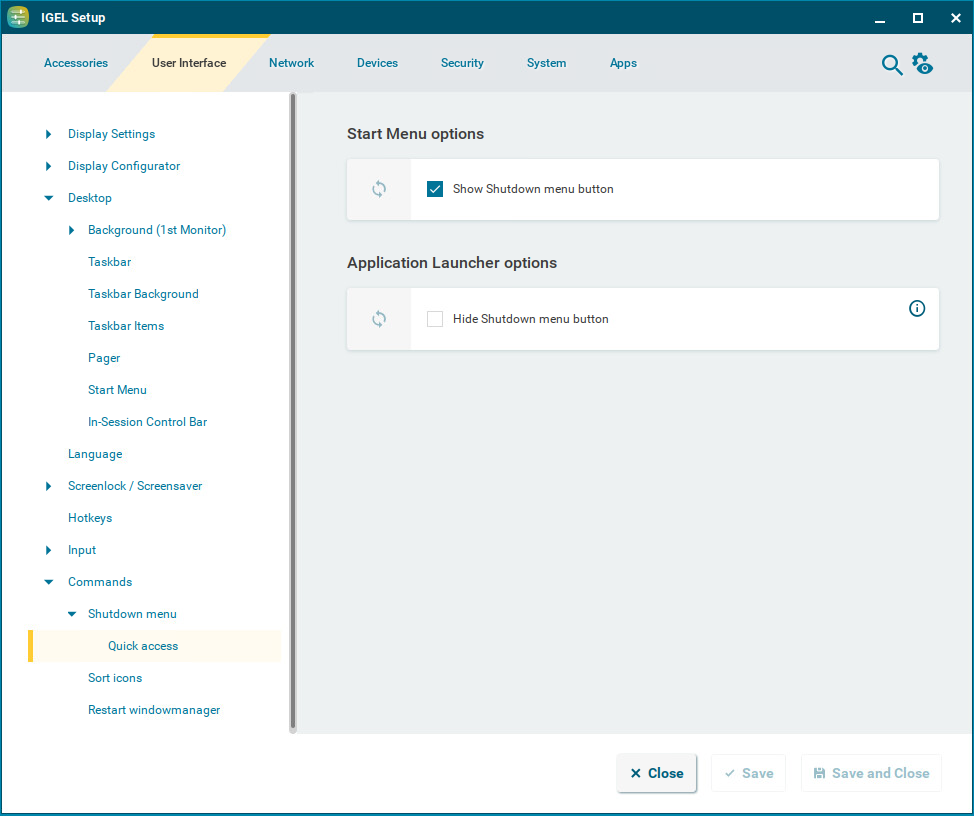
Here, you can configure the quick access to the shutdown menu from the start menu and the Application Launcher.
Show Shutdown menu button
☑ The 
Hide Shutdown menu button
☑ The 
☐ The 