
This article shows how to configure the country-specific language settings in IGEL OS 12.
Menu path: User Interface > Language
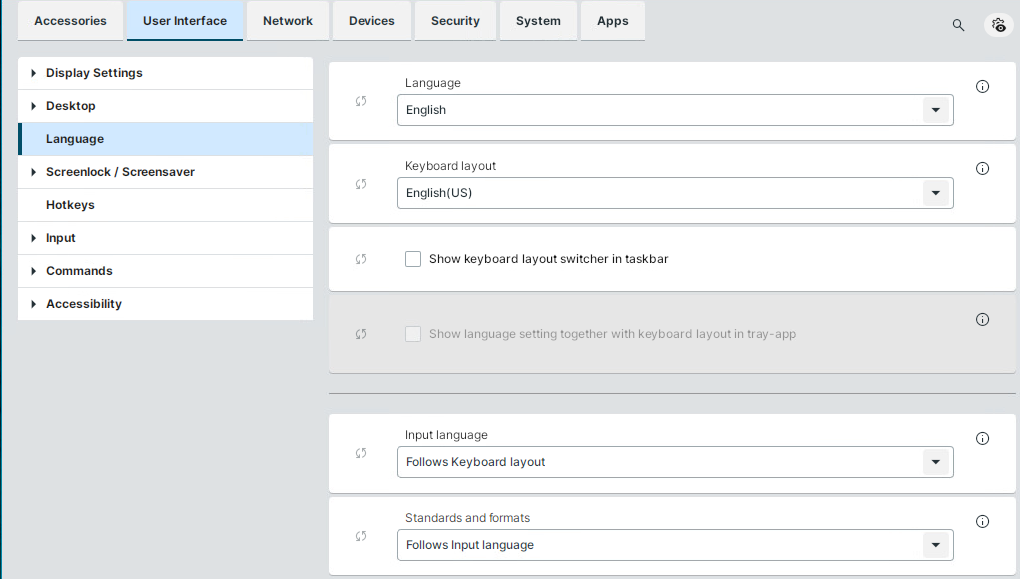
Language
Sets the language of the user interface.
If configured, the language cannot be changed through the Language & Keyboard Layout Tray App. If you want to enable the user to change the language through the tray app, set the parameter to default.
Keyboard layout
When the language is changed for the first time, the keyboard layout is automatically set to the same language.
Show keyboard layout switcher in taskbar
☑ Shows an icon with the active keyboard layout in the taskbar. The user can access the Language & Keyboard Layout Tray App by clicking the icon.
☐ No keyboard layout switcher is shown. (Default)
The taskbar indicator displays the active keyboard layout using the language and country code.
For example, FR CH if French (Switzerland) was selected,

and DE CH if German (Switzerland) was selected.

You can enable or disable the keyboard layout switcher in the taskbar of the login screen or locked screen separately. The behaviour is independent from the logged-in taskbar icon. You can find the login screen and locked screen configurations under User Interface > Desktop > Screenlock / Screensaver > Taskbar.
Show language setting together with keyboard layout in tray-app
This parameter is only available together with Show keyboard layout switcher in taskbar.
☑ The user can change the display language of the session in the Language & Keyboard Layout Tray App. The display language reverts back to the default setting after reboot. The default setting is defined by the option Language under User Interface > Language.
☐ No keyboard layout switcher is shown. (Default)
Input language
The default setting is geared to the selected keyboard layout.
Standards and formats
Sets the country-specific standards and formats, e.g. time and currency. The default setting is geared to the selected input language.