
Connecting the reader
->Connect the reader to the COM port of the thin client.
The reader must be set to host/PC serial interface.
|
Functionality |
|
|
Software: |
CT-API by celectronic |
|
Device/server connection: |
COM port mapping |
Configuring the device
In IGEL Setup, add the COM port device to which the keyboard is connected:
-
Click Sessions > RDP > RDP Global > Mapping > COM Ports for RDP.
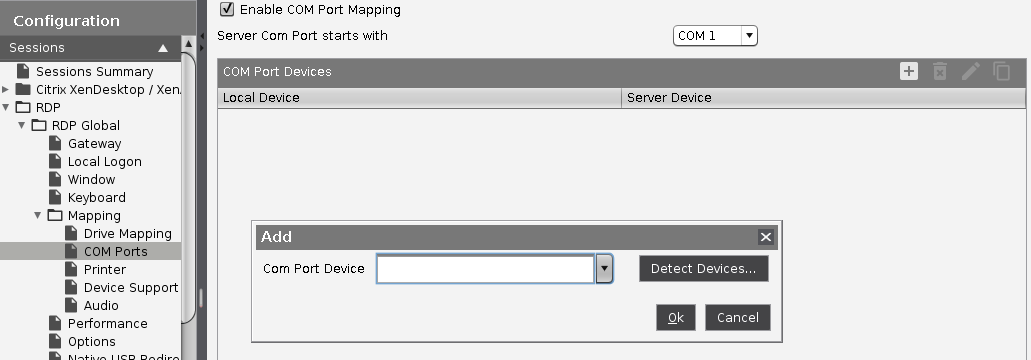
-
Click

-
Select a COM port device (COM1, COM2,... ).
Configuring the server
-
Download the appropriate driver for celectronic CARD STAR /medic2 from the download page:
https://www.ccv.eu/de/ -
Install the driver.