
|
Functionality |
|
|
USB ID: |
046a:003e |
|
Software: |
Cherry eHealth eGK/KVK software |
|
Device/server connection: |
Smartcard (PC/SC) mapping |
Configuring the device
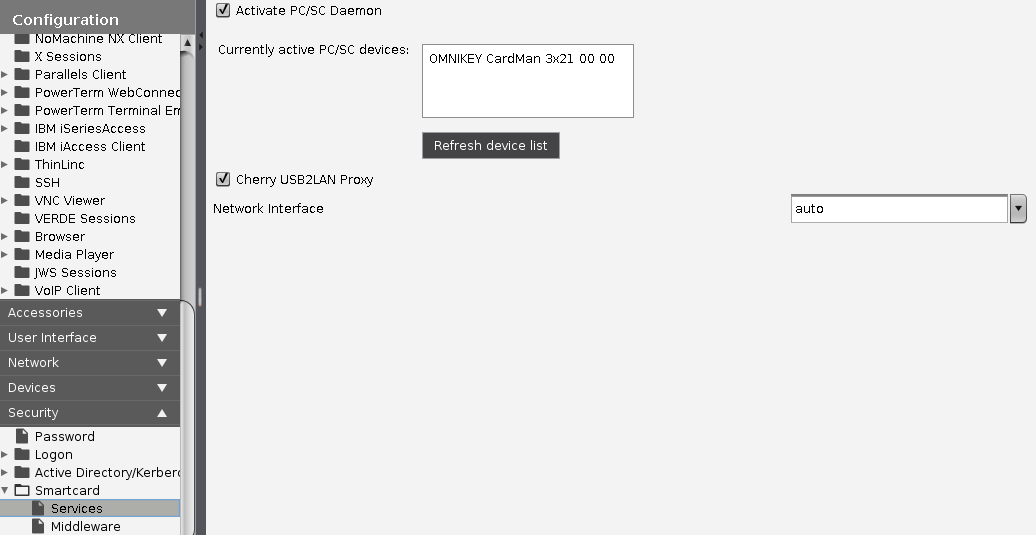
->Select Activate PC/SC Daemon in Setup under Security > Smartcard > Services:
Configuring the server
-
Install the eGK-KVK software by Cherry.
See also http://www.cherry.de/files/manual/eHealth_Client-Server_Einbindung.pdf
-
Start the program CT-API configuration.
-
Select port number 1 for the ST-2052.