
In the User Management area of the IGEL Universal Management Suite (UMS) Web App, you can set, check and change administrative permissions for users and groups. You can manage the rights for the same nodes which are available in the UMS Console.
The following nodes are not available in the IGEL UMS Web App and can only be managed in the UMS Console:
-
Events
-
Universal Firmware Update
-
Misc Settings > Notifications
For more information on how to manage administrative rights in the UMS Console, see Access Rights in the Administration Area.
Menu Path:
User Management > [Users or Groups] > [Select respective user or group] > Change Permissions > Administrative
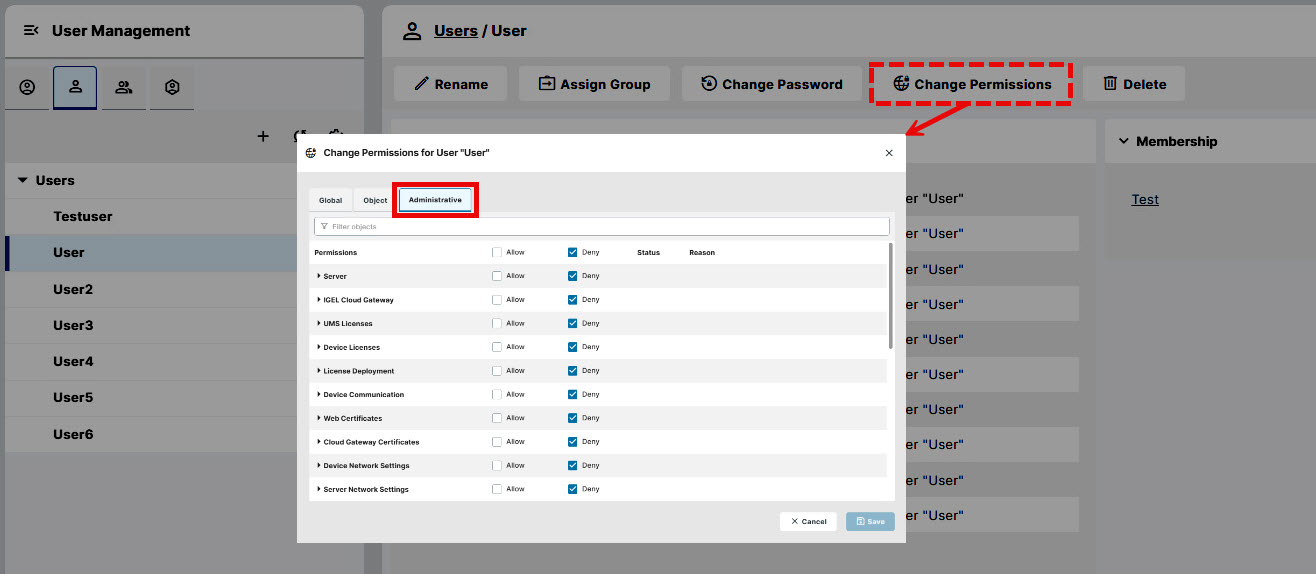
In the IGEL UMS Web App, each management area can have Read, Write, and Access Control permissions. These permissions control who can view, change, or manage access to settings and are required for specific tasks in both the IGEL UMS Web App and the UMS Console. The required permissions are mentioned in the relevant procedures in the documentation. In the UMS Console, these management areas are shown as administration nodes.
The Browse right is only available in the UMS Console. The Browse right is enabled automatically when you grant Read rights to a user. Once you remove the Read right, the Browse right is removed as well. See the following example:
For more information on the rights you can grant and their effects, see Available Rights.