
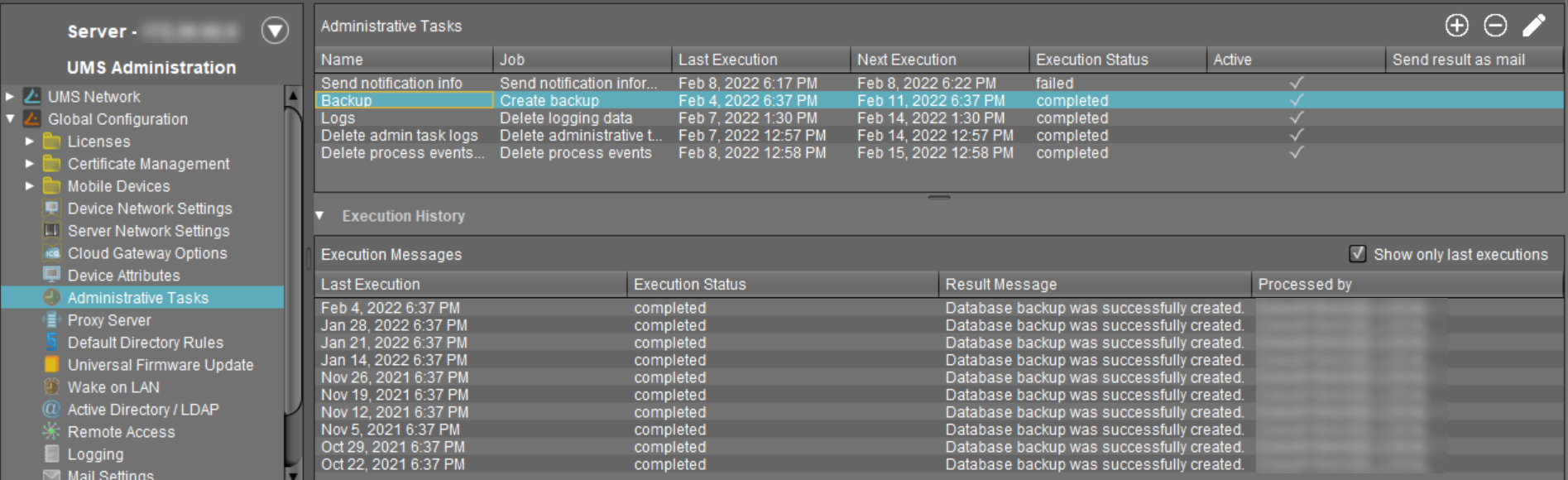
You can define administrative tasks for the IGEL Universal Management Suite (UMS). A task consists in sending an action automatically at a defined time. Examples of such actions include creating a database backup (for embedded databases only) or removing unused firmware files. Tasks can be repeated at intervals or on specific days of the week.
To avoid problems with UMS performance and with backup restoring (see Restoring a Backup), it is highly recommended to use administrative tasks to automatically clean up logs – logging data, job execution data, execution data of administrative tasks, process events, asset information history.
For details, see Performance Optimizations in IGEL UMS and IGEL UMS Maintenance Tasks.
Menu path: UMS Administration > Global Configuration > Administrative Tasks
How to Create an Administrative Task
To create an administrative task, proceed as follows:
-
Click on

-
In the Create Administrative Task dialog, configure the necessary settings. What settings are available depends on the chosen action. The settings are spread over a number of pages. You can switch between these by clicking on Next and Back.
The following actions are available:
-
Create Data Backup as Administrative Task in the IGEL UMS -
Remove Unused Firmwares as an Administrative Task in the IGEL UMS -
Delete Logging Data as an Administrative Task in the IGEL UMS -
Delete Job Execution Data as an Administrative Task in the IGEL UMS -
Delete Administrative Task Execution Data as an Administrative Task in the IGEL UMS -
Delete Process Events as an Administrative Task in the IGEL UMS -
Delete Devices as an Administrative Task in the IGEL UMS -
Export View or Advanced Search Result via Mail as an Administrative Task in the IGEL UMS -
Save View or Advanced Search Results in the File System in the IGEL UMS -
Assign Objects to the Devices of Views or Device Searches in the IGEL UMS -
Detach Assigned Objects from Devices of Views or Device Searches as an Administrative Task in IGEL UMS -
Delete Asset Information History as an Administrative Task in IGEL UMS -
Send Notification Information via Email as an Administrative Task in the IGEL UMS -
Cleanup Device Licenses as an Administrative Task in the IGEL UMS -
Deploy / Exchange Device Licenses
-
Click on Finish.
The task is defined and will be shown in the content panel. The Execution Status will show if the administrative task was executed successfully or failed.