
In this area, you can review the status of the IGEL Universal Management Suite (UMS) license, review and export the UMS ID, and verify the connection and registration with the IGEL Licensing Portal (ILP).
The license level defines the accessible feature set of the UMS. The license level is shown here (for example, IGEL Enterprise UMS).
For more information, see IGEL Software Licenses for IGEL OS and IGEL UMS .
Menu path: System > Licenses 
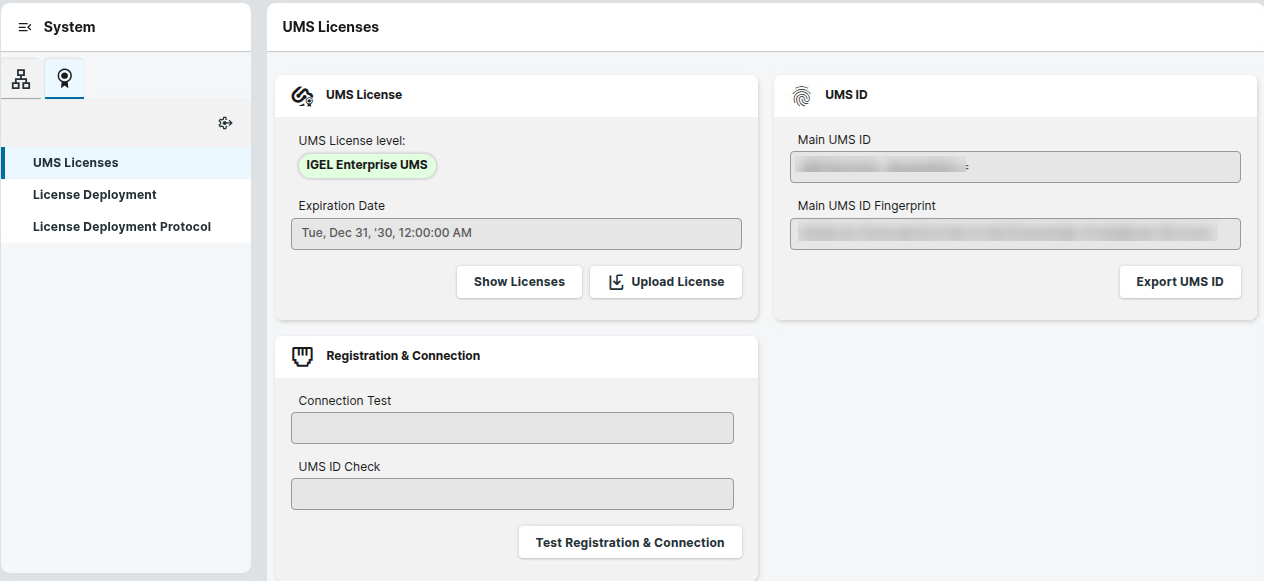
UMS License
At the top, you can see the state of the UMS License. For example, if the license is active, the license level is highlighted in green.
When the license is about to expire, you can see the remaining days until expiration.
Show Licenses
Shows the following information about the UMS license:
-
License ID: Identification number of the license
-
License registered on: Point in time when the license was registered in the UMS
-
Services: Licensed service, e.g. IGEL Enterprise UMS
-
Category: Shows whether a license is an evaluation license or a license included in a subscription
-
Expiration Date: End date of the license period
Upload License
Manually selects and uploads the UMS license as a license file. This method can be used when the UMS is not connected to the ILP (for example, in air-gapped scenarios).
UMS ID
The UMS ID is a certificate of your IGEL Universal Management Suite (UMS) server. It is used, for example, for the communication of your UMS with the IGEL Cloud Services and the IGEL License Portal (ILP). The UMS ID consists of a public/private key pair. In the UMS ID area of the UMS Console, you can see details on the UMS ID and export the public key of the UMS ID as a .crt file.
Main UMS ID
The SHA-256 fingerprint of the UMS ID.
Main UMS ID Fingerprint
The SHA-256 fingerprint of the UMS ID.
Export UMS ID
Export the UMS ID as a .crt file. You need this file for registration in the ILP and IGEL Customer Portal. For details, see How to Export the UMS ID.
Registration & Connection
Connection Test
Tests the connection between the UMS or the proxy and the IGEL license server, as well as the IGEL update server (http://fwu.igel.com).
UMS ID Check
Verifies the registration of the UMS ID with the IGEL Licensing Portal (ILP).