
This article shows how to configure session modes and color level for VNC viewer sessions in IGEL OS.
Menu path: Accessories > VNC Viewer > [Session Name] > Misc
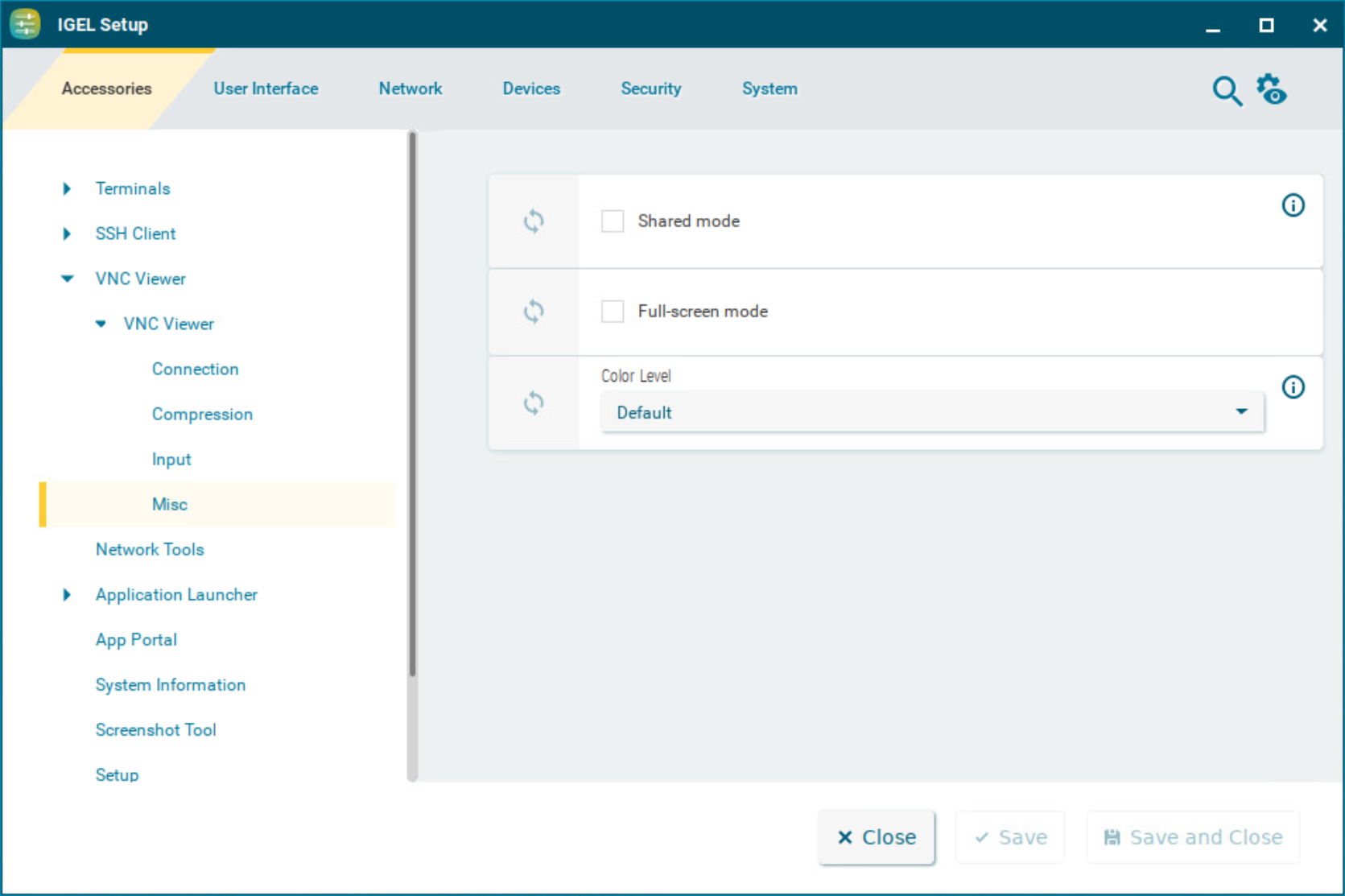
Shared mode
☑ When starting a session, other users’ sessions with the same server are not terminated. The sessions run alongside each other with equal status.
☐ If another user has a VNC session with the same server, the other user’s session will be terminated when the session is started. (Default)
Fullscreen mode
☑ The session will be shown in full-screen mode. The taskbar is not visible.
☐ The taskbar is visible. (Default)
Color Level
The color level used in VNC viewer sessions. If the session is running over a small bandwidth connection, the value can be configured to reduce the needed bandwidth.
Possible values:
-
Default: The highest available color level is used. The VNC viewer automatically selects the level based on the speed of the connection. (Default)
-
Very Low (8 colors): The VNC viewer is forced to use the color level regardless of the speed of the connection.
-
Low (64 colors): The VNC viewer is forced to use the color level regardless of the speed of the connection.
-
Medium (256 colors): The VNC viewer is forced to use the color level regardless of the speed of the connection.