
This article shows how to configure the desktop start menu in IGEL OS.
Menu path: User Interface > Desktop > Start Menu
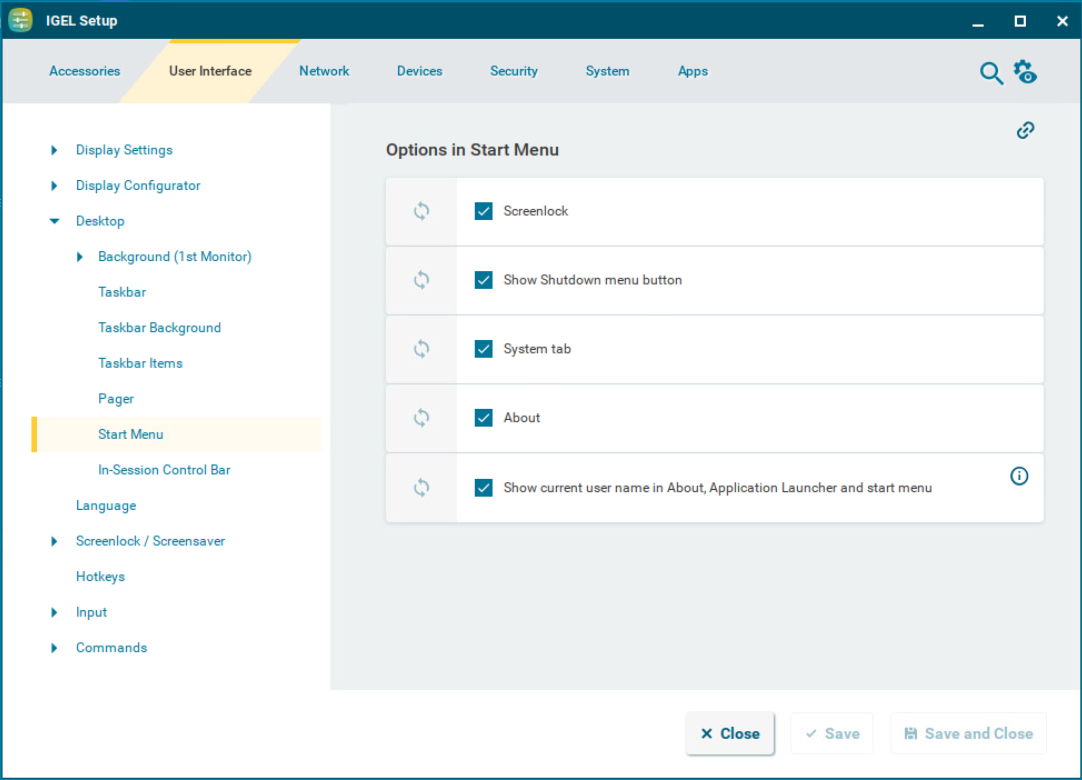
The following options, which are all enabled by default, can be configured to be shown in the start menu:
-
Screenlock
☑ The 
For the icon to be displayed, the following parameters need to be enabled:
-
at least one login method under Security > Logon. For more information, see Logon Settings in IGEL OS 12.
-
the Require password to unlock (screenlock) option under User Interface > Screenlock / Screensaver > Options. For more information, see Options.
-
Show Shutdown menu button
☑ The 
-
System tab
☑ The 
-
About
☑ The 
-
Show current user name in About, Application Launcher and start menu.
In order for user names to be recognized and passed on, you must configure two settings beforehand:
-
Enable using Active Directory/Kerberos under Security > Active Directory/Kerberos. For details, see Active Directory/Kerberos Configuration in IGEL OS 12
-
Enable local logon under Security > Logon > Active Directory/Kerberos. For details, see Active Directory/Kerberos - Enable Login in IGEL OS 12