
This article shows how to integrate network drives shared by Windows as well as those from Linux/Unix servers via the SMB protocol (Samba) in IGEL OS.
Menu path: Network > Network Drives > Windows Drive
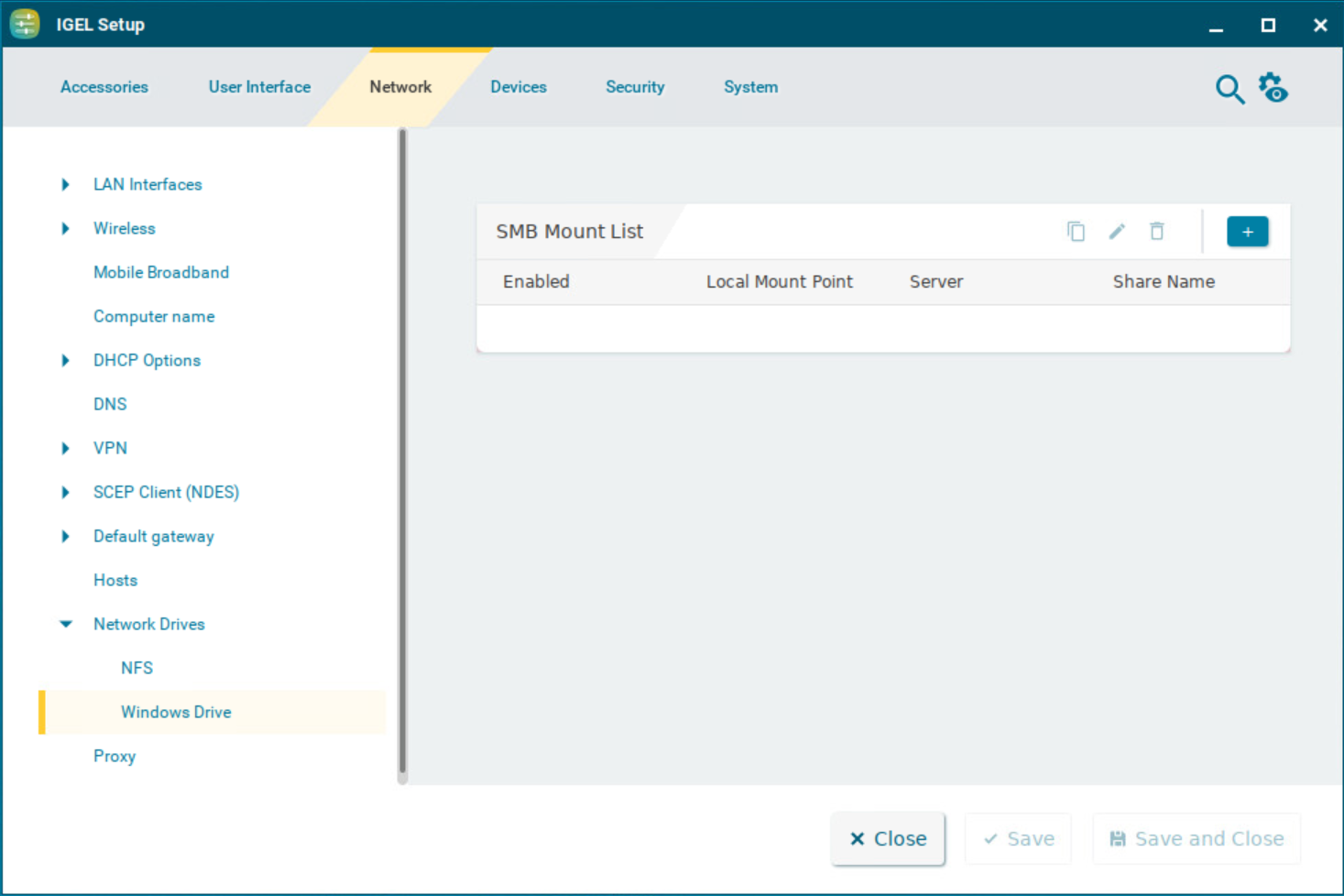
SMB Mount List
List of integrated network drives shared through SMB
To manage the list of drives, proceed as follows:
-
Click

-
Click

-
Click

-
Click

Clicking 
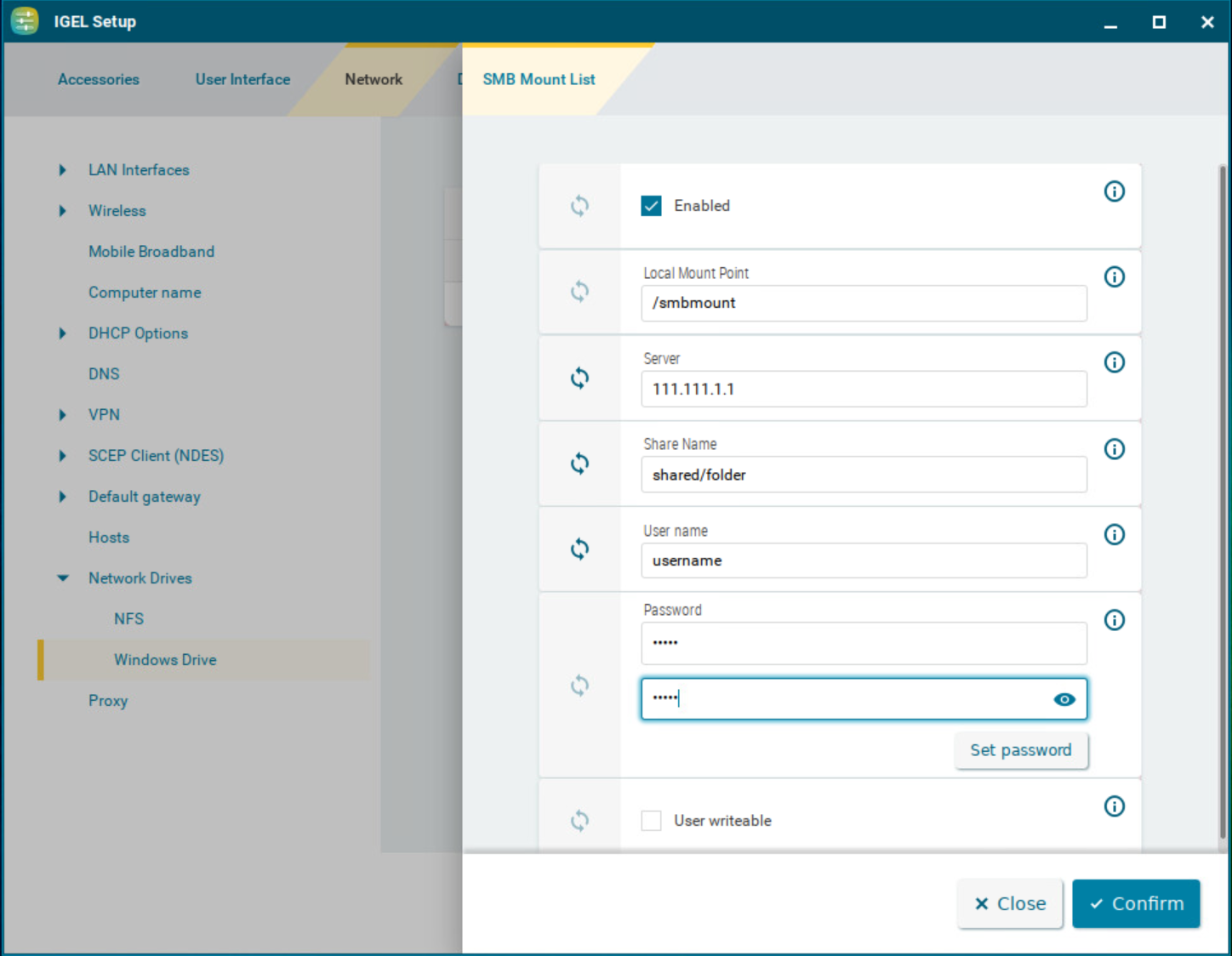
Enabled
☑ The network drive will be integrated. (Default)
Local mount point
The local directory under which the server directory is to be visible. (Default: /smbmount)
For Local mount point, only / (Linux/Unix-style forward slash) can be used as a path separator. Note that if you enter, for example, \smbmount as a moint point, a directory called \smbmount will be created, because \ is a legal character in Linux directory names. For Share name, however, / (Linux/Unix-style forward slash) or \ (Windows-style backward slash) can be used as a path separator.
Server
The IP address, Fully-Qualified Domain Name (FQDN) or NetBIOS name of the server
If a NetBios name is provided for Server, make sure it is not preceded by slashes, e.g. \\myComputer (wrong) vs. myComputer (correct).
Share name
Path name as exported by the Windows or Unix Samba host
User name
User name for your user account on the Windows or Unix Samba host
Password
Password for your user account on the Windows or Unix Samba host
User writable
☑ The user can not only read but also write directory contents. Otherwise, only the local root user is able to do this.
☐ The user can only read directory contents. (Default)